
Atomic can help you create workflows. Ask it to turn a repeatable process into a tracked multi-stage workflow.
Workflows
Atomic uses workflows to run executable engineering loops: reusable multi-stage automation with tracked stages, parallel branches, artifacts, human input, live status, checkpoints, and resumable background execution. Default to a workflow for non-trivial work with a verifiable objective — see When to Use Workflows for the decision signals, execution shapes, and exceptions. Key capabilities:- Tracked stages - Name each step and inspect it in workflow status and graph views
- Parallel branches - Run independent research, review, or implementation branches concurrently
- Context handoffs - Pass summaries, artifacts, files, and schema-backed structured results between stages
- Human input - Pause for
ctx.ui.input,confirm,select,editor, or custom TUI widget decisions during a run - Resumable control - Interrupt, pause, quit, resume, or connect to workflow runs
- Intercom run notifications - Deliver async run results and control notices (long-running, needs-attention, completed, failed) to a parent session over Intercom
- Artifacts - Save large outputs to files instead of pushing everything through model context
- Verification and gates - Preserve evidence, run checks, and stop for human approval where reliability matters
- Model fallback chains - Retry important stages on fallback models when providers fail
- Package distribution - Ship workflows through Atomic packages, settings, or conventional directories
- Well-defined autonomous jobs that benefit materially from durable execution state
- Long-running or background work with explicit completion criteria
- Codebase research with parallel local and external research stages
- Review/fix loops with independent reviewers and a synthesis stage
- Release planning with human approval gates
- Documentation audits that save findings as artifacts
- Multi-stage migrations, broad refactors, and validation/rollback plans
- Reusable team workflows distributed through npm, git, or project settings
Table of Contents
- Quick Start
- When to Use Workflows
- The Run Contract
- Built-in Workflows
- Writing a Workflow
- Scope-Guard Starter Pattern
- The
workflow()Definition - WorkflowContext
- Task and Stage Options
- StageContext
- Result Types
- Running Workflows
- Workflow Commands
- Monitor and Control Runs
- Lifecycle Notices and Human Input
- Durable Workflows and Cross-Session Resume
- Workflow Locations
- Reloading workflow resources
- Workflow Configuration
- Settings
- Package Setup
- Programmatic Usage
- Fast Inference for Workflow Stages
- Context Engineering
- Migrating from the
defineWorkflow()Builder API - Design Checklist
- Common Mistakes
- Workflow Best Practices
Quick Start
To start a workflow quickly, describe it in natural language and let Atomic write it. If you’d rather write the TypeScript yourself, jump to Or hand-write the TypeScript below.Just describe it
Describe the workflow you want in plain chat and Atomic will design and write it for you, using this page as its authoring reference:- ask clarifying questions when stage purpose, inputs, models, or handoffs are ambiguous,
- write a
.atomic/workflows/<name>.tsfile usingworkflow({...}), - pick
ctx.task/ctx.chain/ctx.parallel/ctx.uiper the WorkflowContext primitives and task options reference, - use
ctx.tool(name, args, fn)for workflow-owned side effects so completed operations are durably checkpointed and do not run again after resume (seectx.tool), - run
/workflow reloadso Atomic rediscovers the workflow resource and you can launch it immediately.
/workflow status <run-id>, F2, or /workflow connect <run-id>. A definition with autoAttach: true instead opens the graph overlay as soon as an interactive top-level named launch through /workflow <name> or the registered workflow tool is accepted. This option does not affect headless launches or nested ctx.workflow(...) calls, and existing input-form launch behavior is unchanged.
For a request with several implementation items, do not turn list order into one serial workflow by default. Triage dependencies first, then launch independent items as a bounded wave of separate top-level runs; see Task queues and software factories.
While a workflow is running, the visible below-editor BACKGROUND panel advances its elapsed label every second from the moment the run starts; it does not require opening or switching to the orchestrator. Updates repaint the existing mounted panel in place, paused timers stay frozen, and terminal cards retain their short recent-run expiry.
Or hand-write the TypeScript
Workflow files are plain TypeScript modules. Create.atomic/workflows/explain-file.ts:
/workflow reload or restart Atomic, then list and run it:
workflow({...}) API and WorkflowContext for ctx.task / ctx.chain / ctx.parallel / ctx.stage / ctx.ui.
When to Use Workflows
Workflows are the default execution path when a request is non-trivial or combines inherent structure with a verifiable objective — implementation, build, debugging, bug fixes, migrations, features, scoped multi-file edits, docs/code changes where validation matters, and work with dependencies, handoffs, review gates, uncertainty, measurable done criteria, or evidence requirements. Choose a workflow before direct chat when the prompt includes any of these signals:- implementation, build, debugging/diagnosis, bug-fix, migration, new-feature, scoped multi-file, or validated docs/code work
- multiple subtasks, dependencies, handoffs, uncertainty, or parallel/sequential stages
- review, validation, QA, approval, evidence, or human-input gates
- long-running or resumable background execution, saved artifacts, or important model fallback chains
- reusable automation or an explicit loop/stop condition (see the signal phrases below)
do X until Y, repeat until, iterate until, review/fix until passing, run checks and fix until green, and keep going until done define control flow and convergence criteria that should be tracked.
Use direct chat only for tiny, deterministic, low-risk answers or edits where stage tracking clearly costs more than it adds, typically a single-file/no-test/no-review change. Choose direct chat or a workflow based on that fit; reconnaissance is already inline execution. Once workflow fit is clear, limit pre-workflow reconnaissance to the few reads needed to sharpen the objective and validation criteria, and put deeper research or behavior probing inside the run.
Workflow-first does not require builtins, monolithic workflows, or a force-fit builtin: a builtin that matches 60% of the task and fights the other 40% is worse than a small custom graph. Discover named builtin, project, user, and package workflows; or author a task-specific TypeScript workflow({...}) inline with normal coding tools whenever the task needs richer branching, dynamic fan-out, artifacts, structured outputs, child workflows, human input, gates, retries, or loops.
Rich custom workflows can compose the common workflow patterns: classify and branch at runtime, fan out and synthesize artifacts, run worker/verifier/reducer repair cycles, generate and filter or tournament-rank candidates, and loop until explicit evidence says the work is done. Workflow definitions are composable TypeScript modules — see Workflow Composition. Atomic can write the definition, reload workflow resources, and run it for the current task; the workflow tool has no create action.
If inline work drifts past roughly ten exploratory tool calls without an artifact, edit, or commit, or repeats a “verify one more thing” loop, save the findings to a context file and hand the task to the best-fit named or custom workflow through reads. Sunk research is transferable, not a reason to continue inline.
Choosing an Execution Shape
“Use a workflow” is not one decision — it covers several execution shapes with different costs and guarantees. This section is written as agent-facing guidance: it is the self-prompt an orchestrating agent should run before the first tool call on a new request, and it doubles as documentation for humans who want to steer that choice explicitly.Multi-item routing rule: Enumerate requested implementation items and prove their dependencies before launch. Run independent items as separate concurrent top-level workflow runs with bounded concurrency, one explicit worktree and root failure boundary per item. Preserve ordered composition only for real code, artifact, contract, decision, approval, or merged-result dependencies.The shapes, cheapest first:
The self-prompt: pre-launch workflow architecture
For every non-trivial workflow task, perform a short workflow-architecture pass before the first launch. Choose the execution shape before starting substantive work; reconnaissance already counts as inline execution. Derive the task’s implementation lifecycle needs, whole-codebase research needs, independent work slices, competing strategies, exact API/type/build contracts, schema or generated-artifact contracts, state-transition/lifecycle behavior, deterministic stop conditions, and required evidence. Use this compact coverage matrix internally (it may stay concise for a straightforward task), and let every unresolved material row change the graph choice:- Which stages may repeat?
- Does each iteration create distinct tracked work?
- What is the current frontier before each repeated stage?
- Could any proposed parent edge target an ancestor or the node itself?
- Are nested child workflows composed through boundaries rather than recursive
runinvocation? - Does resume/replay rely on stable per-iteration identity and call order?
- Is the outcome provable? If success can be stated as evidence (tests green, artifact exists, behavior demonstrated, reviewer approves), the task fits a workflow. If no proof is possible or needed, inline is probably fine.
- Is there structure? Multiple subtasks, dependencies, handoffs, or parallel slices rule out inline execution. A single focused evidence-gathering pass does not.
- Is there a loop or gate? Any “until Y”, “fix until passing”, review/approval gate, or unknown-length repair cycle requires a workflow that enforces the stop condition, never an improvised inline retry loop or a stretched subagent chain.
- Is it one task or a queue of tasks? “Address all open issues” or “fix every ticket assigned to me” is a factory request, not one workflow. Enumerate and dependency-classify the items first, then follow Task queues and software factories: independent items become bounded concurrent top-level per-item runs; dependent items share one ordered composed graph; independent dependency clusters become separate top-level runs.
- Does an installed graph supply complete coverage? Run a named workflow only if its objective, inputs, lifecycle, and produced evidence cover every material row. Do not force-fit a broad-but-partial match (When to Use Workflows).
- What routing signals shape the graph? Broad repository uncertainty points to repository-focused Fan-out-and-synthesize; independent slices to Fan-out-and-synthesize; plausible-but-wrong contract risk to Adversarial verification or a task-specific verification stage; competing architectures or implementations to Generate-and-filter or Tournament; an explicit repeat-until condition to Loop until done; implementation work to a task-specific worker/reviewer loop; and exact API/build/schema requirements to dedicated deterministic gates.
- Does a tested graph solve only part of the task? Author one custom parent and nest that definition with
ctx.workflow(...), placing the missing research, verification, or deterministic gates around it instead of copying its prompts and gates. - Is it only specialist evidence-gathering? If the parent keeps control, no completion gate is needed, and the work is bounded (a debug pass, a parallel research fanout, one noisy investigation), inline subagents are enough—and cheaper than a workflow.
- Is it truly tiny? Deterministic, low-risk, single-file/no-test/no-review—answer or edit inline and stop.
@bastani/workflows/builtin, and call ctx.workflow(...). Nested children preserve their stages and guarantees within the expanded graph up to maxDepth, but they remain under the parent’s root lifecycle and failure boundary.
Choose the cheapest complete graph. Routing cues are not a reason to add decorative stages: avoid duplicated research and review loops. Before launch, state the selected graph, why one broad builtin is sufficient or insufficient, the evidence each major stage produces, and the stop/repair conditions. A simple direct match can be one sentence; a composed graph should briefly name its children and task-specific gates.
When an arbitrary task-specific workflow has plausible-but-wrong contract risk, design a bounded evidence-backed adversarial loop:
- Give a fresh-context, grumpy/skeptical-but-fair reviewer the literal objective. It should aggressively seek realistic counterexamples without inventing requirements or accepting hand-waving and circular worker-authored evidence, then emit a structured verifier plan: exact probe, inputs, command/assertion, expected success condition, and requirement/risk covered.
- For known contracts, author direct task-specific
ctx.tool(...)gates up front. For adversarially discovered risks, let the model select high-value probes in structured output, but execute the selected compile, test, schema generation/validation, runtime, and artifact-inspection checks authoritatively through durable workflow-ownedctx.tool(...)calls. The model must not self-report outcomes. - Feed the actual tool results to a skeptical evaluation stage. It classifies failures and emits one consolidated, evidence-backed, bounded repair payload for the implementation child.
- After repair, rerun the deterministic verifier tools until the declared pass condition succeeds or the iteration budget is exhausted. Define pass, repair, failure, and iteration-limit conditions before launch.
ctx.tool for workflow-owned external checks and side effects that benefit from durable checkpointing. Leave pure transformations as ordinary TypeScript; do not wrap every model-stage action in a tool call. A custom-loop pre-launch declaration must name the skeptical reviewer, deterministic verifier gates, how model-selected plans become tool executions, how evidence reaches evaluation/repair, and the bounded success/failure condition.
Judging task complexity
Complexity is a property of risk, not effort. Score a task on five axes and let the worst axis dominate — complexity is not the sum:
A one-line change to a serialization format is complex (high failure cost, exact contract). A 500-line mechanical rename is simple (zero uncertainty, type-checker-verified). The common trap is judging by effort instead of risk: long-but-mechanical is simple; short-but-contractual is not.
Fast tells, usable in the first 30 seconds:
- Done-condition test: if the success condition does not fit in one sentence, the task is complex or underspecified — clarify before guessing.
- The “and” test: “fix X and update docs and add a test” is three tasks in one sentence; enumerate and classify each.
- Loop words: “until it passes”, “keep trying” make the task at least moderate — iteration is expected.
- Working-memory test: more than about three interacting constraints at once means complex.
- Two or more distinct phases with a real handoff (research → implement, implement → verify), not just steps.
- The done-condition needs proof — tests, builds, review, or a contract check. If “how do you know it works?” is a fair question, a verification stage is waiting to exist.
- Iteration is expected — an anticipated repair loop, not a straight line.
- Failure cost is high — even a one-line change gets adversarial verification.
- The work outlives one attention span — losing mid-task state is a real risk.
Scoring rubric
When the ladder is ambiguous, score the task on six dimensions (0–2 each):
Interpretation:
- 0–3 total: inline. Adding stages creates more work than value.
- 4–6 total, Iteration ≤ 1, no gate: inline subagents when the parent should retain control, or a small named/custom workflow when tracking and artifacts matter.
- 7+ total, or Iteration = 2, or Verifiability = 2 with a review/approval gate: a real workflow. Prefer a named workflow when one fits the whole task; otherwise author a custom graph, nesting proven children where sub-problems overlap.
- Any single hard signal overrides the arithmetic: an explicit loop/stop condition, an approval or evidence gate, or a request for durable/background execution puts the task in workflow territory regardless of total score.
reads.
Task queues and software factories
Some requests are not one task but a queue of them: “address all open issues”, “fix every Linear ticket assigned to me”, “burn down the TODO backlog”, or “implement issue A and create a PR after; also implement issue B and create a PR after”. One monolithic worker loop would process the queue serially in a growing context and make unrelated work share one root failure boundary. Interpret ordering words locally unless a cross-item dependency is explicit. “Implement A and create PR A after; implement B and create PR B after” normally meansimplement A → validate A → PR A and implement B → validate B → PR B; those two item lifecycles may run concurrently. It does not mean PR A → start B. Serialize only when the user or repository evidence says, for example, “implement B after A is merged”, “B builds on A’s branch”, “use A’s generated schema in B”, or “do these in order”. Do not infer a cross-item sequence from list order or from “create a PR after” when “after” naturally refers to that item’s own implementation. Prove the dependency before serializing independent workflow items. If wording remains materially ambiguous after dependency research, ask one grouped clarification instead of silently serializing.
Triage before dispatch:
- Enumerate every requested item.
- Inspect stated issue, PR, branch, and approval dependencies.
- Check whether each prerequisite is already merged into the base each run will use. A merged prerequisite does not serialize current items when every base contains it. An unmerged prerequisite delays only the item or dependency cluster that consumes it; unrelated items remain eligible for separate concurrent workflow runs under the queue’s bound.
- Check likely shared files, API contracts, migrations, generated artifacts, and release or deployment effects. A shared unmerged contract can create a dependency even when items edit different files.
- Classify items as independent, dependent, or clustered.
- Dispatch independent items or clusters concurrently with an explicit concurrency bound; preserve dependency order inside each cluster.
- Report an item → run ID → worktree → branch → result/PR map. After each terminal lifecycle notice, inspect that run’s status detail before updating its result/PR fields.
Workflow run isolation and Git worktree isolation are separate guarantees. A top-level run provides its own context, progress, lifecycle controls, retry state, and root failure boundary. A worktree provides a separate checkout and Git state; it is not an operating-system sandbox. Several worktrees inside one sequential root do not create concurrent top-level runs or independent root failure boundaries, while concurrent writer runs without separate worktrees can still conflict. Use both for independent implementation items.
A natural-language request for a worktree does not configure runner isolation. Inspect the named workflow’s inputs first. Each per-item definition must declare and implement its reusable-worktree and branch inputs, and the dispatcher must pass distinct values explicitly. With
worktreeFromInputs, a missing target is created as a detached checkout from baseBranch, while an existing same-repository worktree is reused as-is. Neither case checks out the feature branch named by a separate branch input, so the item workflow must enforce that branch step itself.
Supported example: two independent top-level issue runs with a bound of 2. First save this complete project workflow as .atomic/workflows/issue-to-pr.ts, then run /workflow reload. It is a user-defined workflow built only from supported authoring APIs, not a bundled workflow name that Atomic installs by default.
run starts. The first durable tool then creates or checks out the requested feature branch, so worktree setup’s detached checkout never becomes the implementation branch. The item run owns branch setup → implementation → bounded review/repair → deterministic checks → push → PR creation. A failed review or check fails that item before push/PR.
Inspect the new target with workflow({ action: "inputs", workflow: "issue-to-pr" }). Then issue these two ordinary named-run tool calls in the same dispatch turn and end the turn. Interactive named launches return after startup admission instead of waiting for terminal completion, so the two run bodies overlap. Starting exactly two item runs and admitting no third until one ends enforces the bound of 2; the top-level tool has no batch-only worker loop or hidden concurrency field.
action: "statusDetail" and a detail object. Read detail.status and detail.error. For a completed run, read its declared outputs from detail.result and require a string detail.result.pr_url before filling that item’s result/PR fields; do not infer the PR URL from the lifecycle notice or stage prose. A completed detail without the required result or pr_url is a reporting-contract failure.
For a failed run, record detail.error and leave the PR field as no PR when the failure occurred before create-pr. If failure may have occurred during or after that durable tool, inspect its status/tool detail or the GitHub PR list before retrying so the dispatcher does not create a duplicate PR. In either case, free the dispatcher slot, keep unrelated top-level runs active, and do not treat a failed run’s partial result as successful output. Only after these per-run inspections should the dispatcher fill the final map:
The second failure does not cancel, pause, or roll back the first run, and it does not block unrelated later items from using an open dispatcher slot. A first item’s review, repair, or check failure must not block unrelated items; if it would, reconsider whether the queue was placed in one root workflow by mistake.
This example uses top-level named runs, not nested
ctx.workflow(...) children. Each launch appears in top-level status, gets its own lifecycle notices and controls, and owns an independent root failure boundary. Nested children are hidden from top-level run lists and expand inside one parent graph; a failed child call normally fails its parent, and parent exit cancels in-flight children. Use nested children to preserve ordered composition inside a truly dependent item or cluster, not to claim separate root lifecycles for independent queue items.
The factory self-prompt is: enumerate → inspect and classify dependencies → fan out top-level runs where independent → compose where dependent → dispatch in bounded waves → report the map.
Prompting the choice
Humans can steer the shape directly:- Name the shape or installed workflow. “Do this inline”, “use subagents to investigate”, or “write a custom workflow for this” overrides automatic scoring.
- State acceptance criteria. Verbatim criteria make the objective provable and define reviewer and reducer contracts.
- State the loop. “Iterate until tests pass” or “review and fix until approved” defines a hard workflow stop condition.
- State the evidence. A QA video, test output, generated artifact, or reviewer sign-off tells the graph which gates it needs.
- State the boundary. “Work in a separate worktree”, “do not create a PR”, or “stop after implementation” separates implementation from final actions.
- State the queue policy. Say how to split, order, isolate, and bound queued items; otherwise Atomic runs the dependency-triage and bounded-dispatch playbook before implementation. Ordinary list order and per-item “create a PR after” wording do not create a cross-item dependency.
Atomic vs Claude Code Dynamic Workflows
Claude Code Dynamic Workflows and Atomic address a similar problem: important software engineering work is too large for one agent pass, so the system should split the job into stages, run agents in parallel, verify the result, and keep enough state to finish long-running work. Atomic’s category is broader and more explicit: it is the loop engine for engineering work. The difference is who controls the process and how much of the loop you can inspect, version, extend, and connect to your stack.The Run Contract
A run’s contract is its objective plus its acceptance criteria. Only the user may change it. Every stage that receives a change must hand it to the next stage. This is the single most important rule for getting predictable results out of a multi-stage run, and it is the rule most often broken by accident.Only the user may change the contract
A workflow launches with a contract: the objective and, when supplied, explicit acceptance criteria. Two parties relate to it very differently:- You may amend it at any time. A mid-run message — steering, a follow-up, resume text — is authoritative. If you say “also handle the detached path,” that is a new requirement, and the run adopts it from that moment.
- Agents may not amend it at all. An implementer that notices a nearby bug, a cleaner abstraction, or a missing feature has found deferred work, not a new criterion. It records the observation and keeps building to the contract.
Amendments must reach the next stage
An amendment that stays inside the session that received it is invisible to everything downstream. That produces the failure this rule exists to prevent:You steer the implementation stage to add a requirement. The implementer adopts it and builds it. The reviewers were launched with the original criteria, so they score the added work as unrequested scope and the original criteria as contradicted. The run then burns review loops arguing about a contract mismatch nobody can see.So every builtin stage prompt carries a steering propagation contract:
- Restate every objective-relevant steering message in your report or handoff artifact, under an explicit
Contract amendments receivedheading, verbatim when short. - Keep user-authored amendments visibly separate from your own observations, so the next stage can tell a required clause from an agent proposal.
- Treat amendments inherited from an upstream stage as contract clauses. Cover them in acceptance and traceability work; never classify them as out-of-scope.
- Resolve ambiguity before implementing. Use
intercomto ask the supervisor or originating stage when one is reachable; otherwise state the conflict and implement the narrowest reading consistent with the launch contract. - Propagate nothing else this way. Tool preferences, working style, and your own ideas are not amendments.
ctx.task, ctx.chain, and ctx.parallel prompt carries the contract automatically. Do the same in a custom workflow:
Scope discipline
The mirror of “only the user may amend” is that the agent holds the line. Every builtin implementation stage carries this contract:Before writing code, state the goal in one sentence and list the acceptance criteria. That list is the contract. Freeze it.While implementing:
- Done means the contract, not “good.” When all criteria pass, stop. Polish, refactors, and “while I’m here” fixes are new work, not this work.
- Every addition must trace to a criterion. If you cannot point at the criterion a change serves, do not make it. Log it instead.
- Keep a deferred list, not a growing diff. When you notice a bug, smell, or missing feature outside the contract, write one line in a deferred note and move on. Surface it at the end.
- Distinguish blockers from improvements. Change scope only if a criterion is impossible or wrong as written — and say so explicitly before proceeding, rather than silently absorbing the work.
- Watch for the tells. “It would be cleaner if…”, “we should also…”, “this really ought to…” mean you are about to move the goalpost. Stop and check the contract.
- Prefer the smallest diff that satisfies the contract. Fewer files touched, fewer abstractions introduced, no speculative generality for futures nobody asked for.
Practical consequences
- Steer freely — it is the supported amendment channel. You do not need to restart a run to add a requirement.
- Say what you mean as a requirement. “It would be nice if…” reads as guidance; “also handle X” reads as a clause. Stages are told to distinguish them.
- Expect amendments in the reports. If a stage received one and its report has no
Contract amendments receivedsection, the amendment did not propagate and downstream stages will not honor it. - A growing diff with no new criteria is a defect. That is the tell that scope discipline slipped, and it is a legitimate reason to stop a run.
Built-in Workflows
Atomic bundles nine workflows: six reusable control-flow patterns, two autonomous implementation loops, and one end-to-end design workflow. They are available in every session. Use/workflow list to confirm the current set and /workflow inputs <name> to inspect a contract before launch.
Across these builtins, model-facing stages use compact, outcome-first contracts tuned for GPT-5.6, Claude Opus 5, and Claude Fable 5. Long artifacts and receipts are rendered before the final instruction, reporting stages ground completion claims in current tool evidence, and user-facing or downstream reports have explicit shape and length bounds. Orchestrators delegate only genuinely independent work that is too large for a handful of tool calls, rather than spawning agents to recheck their own work.
Six composable pattern builtins
The six common patterns are full definitions exported from@bastani/workflows/builtin:
goal
Goal persists the literal objective and immutable acceptance criteria in a run ledger, delegates implementation through bounded orchestrator turns, records receipts, and asks independent reviewers to inspect the current delta. A TypeScript reducer returns complete, blocked, or needs_human rather than trusting free-form completion claims.
Goal reviewers derive checks from the literal objective before consulting implementation receipts, inspect the actual checkout delta, and report commands, observed output, and file:line evidence rather than internal reasoning. Shared contracts cover acceptance-matrix traceability, contract-fidelity risks, end-to-end and QA-video evidence, and independent verification. stop_review_loop is the authoritative convergence signal: it remains false for P0–P2 findings, any required_by_objective finding, or unproven implementation/validation requirements; it becomes true only when independent evidence proves the objective and only non-blocking or authorized post-approval work remains. The deterministic reducer consumes that signal without reinterpreting free-form prose.
result, status, approved, goal_id, objective, acceptance_criteria, ledger_path, turn counts, receipts, remaining work, review artifacts, and optional pr_report.
ralph
Ralph starts from the raw task, refines it into a research question, runs codebase research, delegates implementation from the research artifact, and sends the patch to independent model-family reviewers. It repeats research, orchestration, and review until reviewers approve or max_loops is exhausted.
Ralph uses the same canonical reviewer evidence and convergence contracts as Goal. Its reviewer prompt receives artifacts first and the review objective last, requires independently derived probes before implementation-authored evidence, and preserves unresolved findings when the bounded loop ends. Forked continuation prompts send only changed state and artifact paths instead of repeating the full established contract.
result, the latest research question and artifact paths, implementation notes, optional QA video and PR reports, approval, iteration count, and review artifacts.
Goal and Ralph both support reusable worktree binding through git_worktree_dir and base_branch. Use create_pr=true only for an explicitly authorized final action after implementation approval. For follow-up runs based on reviewer findings, pass the original task text as acceptance_criteria to prevent contract drift.
open-claude-design
Inputs:
The workflow establishes or loads project design context, extracts user-provided references, can browse curated galleries, writes a live
preview.html, and keeps separate generator and feedback session lineages. It exports an HTML spec and implementation handoff after approval. Browser-backed preview and feedback use the playwright-cli skill when available.
Declared outputs are output_type, design_system, artifact, handoff, approved_for_export, refinements_completed, import_context, run_id, artifact_dir, preview_path, preview_file_url, spec_path, spec_file_url, and playwright_cli_status. It has no implicit result output.
Launching with natural language
You can start a builtin in chat by naming its objective:Writing a Workflow
Workflow files are TypeScript modules that export a workflow definition:workflow({ ... })returns the workflow definition directly for discovery; there is no builder terminal step.- Workflow names normalize for lookup: trim, lowercase, convert whitespace/underscore to hyphen, remove other punctuation, and collapse hyphens.
descriptionsets the listing text.autoAttach: trueopens the graph overlay when an interactive top-level named launch through/workflow <name>or the registeredworkflowtool is accepted. Only exacttrueis retained on the compiled definition; omission andfalsedo not opt a definition into auto-attachment. Existing input-form launch behavior is unchanged.inputsdeclares typed user inputs.worktreeFromInputsoptionally maps input names to workflow-wide reusable Git worktree defaults.outputsdeclares typed outputs that parent workflows receive fromctx.workflow(childWorkflow, ...).run: async (ctx) => { ... }defines the workflow body.
defineWorkflow(...).compile() builder, see Migrating from the defineWorkflow() Builder API for the full method-to-key mapping, a before/after walkthrough, and a conversion checklist.
prompt and task are aliases for task text inside authored workflow primitives. Prefer prompt because it mirrors lower-level stage.prompt(...); task remains useful in ctx.chain(...) examples.
Author workflows to create at least one tracked execution node by calling ctx.task(), ctx.chain(), ctx.parallel(), ctx.stage(), ctx.workflow(), or ctx.tool() in the run body so each normal run has graph work to inspect and render. Stage nodes remain the attachable, interruptible, resumable chat units; durable tool nodes are non-chat execution. Guard-only workflows may call ctx.exit(...) before creating a node when they intentionally stop early.
Dynamic topology must remain acyclic
Atomicworkflow({ run }) definitions are imperative, dynamic TypeScript. The final graph is materialized only while run(ctx) executes and may depend on runtime inputs, branches, loops, files or network data, model or human output, helpers, and nested workflows. Discovery can report module import and definition-shape diagnostics: it loads the module, checks its exports, schemas, and run function, and rejects failures observable at that point. It does not execute every control-flow path or compile run into a complete graph. TypeScript and discovery cannot prove arbitrary dynamic acyclicity.
Cyclic workflow graphs are unsupported. Workflow authors and coding agents MUST NOT create self-edges or dependency edges from the current frontier to an existing ancestor. Every materialized execution topology must remain a DAG. If a cycle cannot be removed, redesign or stop before launch.
Before launch, sketch the expected node and dependency shape for every branch and loop. Reject any proposed edge from the current frontier to the node itself or an ancestor. Bounded loops must create distinct tracked work for each iteration, with stable per-iteration identity and call order for resume/replay; never reopen an ancestor below its downstream work.
Invalid structural cycle:
Repair points back to the existing Implement ancestor.
Valid unrolled loop:
Guiding Principles
- Locally scoped stage prompts - Describe only the current stage’s objective, inputs, expected outputs, and success criteria. Avoid references to other stages unless the current stage explicitly receives and needs that information, and avoid workflow-specific or stage-specific vocabulary that is not explained inside the current prompt. See Locally Scoped Stage Prompts for the expanded contract.
- DAG-only dynamic topology - Treat
run(ctx)as imperative code that materializes graph nodes at runtime. Keep every branch, loop iteration, and nested boundary acyclic; never add a self-edge or a parent edge to an ancestor, and redesign or stop before launch if one remains. - Clear vocabulary - Use clear software engineering terminology in self-described prompts.
- No regex gates - Avoid hard-coded regular expressions that gate reviews or model outputs.
- Schema-backed gates - Prefer schema-backed workflow stages (
ctx.stage(..., { schema }),ctx.chainitems, orctx.parallelitems) for review/gate decisions whenever the workflow must evaluate model output; a schema-enabled item receives the structured-output tool automatically. See Evaluation and Quality Gates. - Stages are model stages - Treat atomic workflow units as language model stages, not deterministic tools.
- Small deterministic-gate stages - When deterministic gates are needed, create small dedicated stages that instruct a model to run a specific tool or perform a specific check. This keeps gates adaptive to the current codebase while preserving explicit workflow structure.
- Checkpoint workflow-owned side effects - Prefer
ctx.tool(name, args, fn)for filesystem writes, network mutations, external API actions, and other side effects orchestrated directly by the workflow definition. Atomic durably caches a completed call’s serializable result, so resume returns that result without rerunningfn. Keep pure computation and side-effect-free transformations as ordinary TypeScript. Do not wrap agent-stage internals or every function call indiscriminately. Do not retainctx.toolfor detached work after the workflow executor returns: terminal admission is closed first, and a later call rejects before its callback, retries, graph node, or checkpoint can begin.
Context engineering guidance
Also document the context that stages pass to one another:- For substantial handoffs, create files or artifacts and tell the next stage to read them instead of putting large text outputs in its prompt or context.
- Prefer forked context for non-reviewer stages so long-running implementation work keeps a coherent, continuous context.
- Prefer a clean context window for reviewer stages so earlier implementation stages do not bias the reviewer. Reviewers should evaluate the supplied artifacts, changed files, tests, and explicit criteria as independently as possible.
Inputs
Inputs are declared with TypeBoxType.* schemas in the inputs object. Import Type from typebox directly in workflow files. Workflow packages still declare typebox as a peer dependency so TypeBox schemas resolve under tsc — see Programmatic Usage. Common input schemas map to picker kinds and accepted runtime values:
A
Type.Union([Type.Literal(...)]) of string literals expresses a ‘select’: the input picker renders those literals as choices, and runtime validation rejects values outside them. Put description and default in the schema options object, e.g. Type.String({ description: "…", default: "…" }). An input is required when its schema is not wrapped in Type.Optional(...) and declares no default; wrap optional inputs in Type.Optional(...). A default does not make an input optional — a defaulted input is always present after defaults are applied.
Prefer explicit descriptions because /workflow inputs <name>, /workflow <name> --help, and the input picker show these descriptions to users. Runtime validation uses TypeBox Value and is strict for both top-level named runs and ctx.workflow(...) child calls: Atomic rejects unknown keys, missing required values, type mismatches, non-JSON-serializable values, and union/literal values outside the declared choices before the workflow body starts. It does not coerce strings like "3" to numbers; pass count=3 or JSON numbers when a schema declares Type.Number().
In TypeScript workflow files, entries in inputs also narrow ctx.inputs for better intellisense: required/defaulted Type.String() inputs are string, Type.Number() is number, Type.Boolean() is boolean, a Type.Union([Type.Literal(...)]) select is the literal string union, and Type.Optional(...) inputs include undefined. Use Static<typeof schema> when you need the inferred TypeScript type of a schema directly.
Outputs
Workflow outputs are runtime contracts for completed workflow runs and for parent workflows that call a child withctx.workflow(childWorkflow, ...). A workflow normally returns a JSON-serializable object from run, and entries in the outputs object document, validate, and expose keys from that returned object. ctx.exit({ outputs }) can expose a partial subset of the same declared output contract when the run intentionally stops early. Primitives, arrays, null, functions, symbols, undefined properties, NaN, and infinite numbers fail validation.
Return convention: outputs are return-object keys. Atomic never infers child workflow outputs from stage names, stage order, or the final assistant message. If a parent should read child.outputs.foo, the child workflow’s run must both declare outputs: { foo: schema } and return { foo: value }. result is not special, and Atomic never adds it: to expose result, declare it in outputs and return { result } exactly like any other output. Returning a key that is not declared in outputs fails the run with atomic-workflows: workflow "<name>" returned undeclared output "<key>"; declare it in outputs or remove it from the run return.
Reserved status output convention and structured failures: if a workflow declares and returns a top-level status output with the string value "failed", Atomic treats the run as failed instead of recording a successful completion. Returned "blocked", "needs_human", "incomplete", "active", and "auth_blocked" statuses are treated as blocked/incomplete terminal states rather than successful completions.
Independently of that convention, Atomic uses structured failure metadata captured from the run’s blocking stage (failedStageId) or run-level failure metadata to keep recoverable auth, rate-limit, and provider fallback exhaustion blocked/resumable even when the workflow did not declare a status output. Atomic does not infer failure state by scanning arbitrary output text or by scanning every failed stage in an otherwise completed non-fail-fast branch.
When a workflow returns a reserved status, Atomic uses a non-empty top-level summary string as the run reason shown in lifecycle notices and status surfaces; if no non-empty value is present, Atomic falls back to non-empty top-level remaining_work and then result text. Use the reserved status convention only when the workflow is intentionally reporting its own terminal state (for example, a deterministic release gate that returns { status: "blocked", summary: "required checks are pending" }, or a reviewer-gated workflow that returns { status: "needs_human", remaining_work: "provider credentials are missing" }).
Do not use a top-level status field for unrelated external state such as a deployment/check the workflow only inspected; choose a domain-specific name like deployment_status or gate_status instead.
The outputs object is a schema contract, not an automatic stage selector. To expose values from any stage, capture the stage/task/child result in normal TypeScript and return it from run under the desired key:
result output. A workflow exposes only the keys it declares in outputs and returns from run. To expose result, declare outputs: { result: schema } and return { result }. Returning a key not declared in outputs fails with the returned undeclared output error quoted above. For a child workflow call, <name> is the child’s name, and the parent surfaces the failure through the child-failure wrapper described in Workflow Composition.
Outputs are declared with TypeBox Type.* schemas in the outputs object. Prefer precise schemas. A precise schema gives a precise Static<> type for the run return and for any parent reading child.outputs, and it makes runtime validation enforce the real shape instead of accepting values without checking that precise shape. Reach for Type.Unknown(), Type.Any(), Type.Array(Type.Unknown()), or Type.Object({}, { additionalProperties: true }) only for genuinely dynamic data whose shape you cannot know ahead of time.
Output schemas carry
description in their options object. A declared output is required when its schema is not wrapped in Type.Optional(...); wrap outputs that may be absent in Type.Optional(...). A required output means the workflow run return object must contain that output before the run can complete; a missing required output fails with missing output "<key>", and a declared value whose runtime type does not match the schema fails with output "<key>" expected <type>, got <actual>. For child workflow calls, the parent boundary fails before the parent continues.
On completion, Atomic validates declared outputs against their schemas with TypeBox Value and recursively checks every returned or exposed value for JSON serializability. During child output replay, Atomic also performs a structured-clone safety check after JSON validation so continuation can restore completed child workflow boundaries.
Prefer precise schemas
A loose output likeType.Unknown() or Type.Object({}, { additionalProperties: true }) types the run return and child.outputs.x as unknown/Record<string, unknown>, so every consumer must cast or guard before using the value, and runtime validation only checks “is this JSON?” instead of the real shape. Declaring the shape fixes both at once:
inputs: { counts: Type.Array(Type.Number()) } makes ctx.inputs.counts a number[], while Type.Array(Type.Unknown()) only gives you unknown[].
Type.Unsafe<T>() escape hatch for deeply-nested values
When you already have a precise TypeScript type for a deeply-nested serializable value and don’t want to hand-write the equivalent TypeBox schema, wrap a permissive runtime schema with Type.Unsafe<MyType>(...). The static type becomes exactly MyType (so ctx.inputs, the run return, and child.outputs stay precise), while the runtime check stays as lenient as the wrapped schema. Use a type alias rather than an interface for the wrapped type — an interface has no implicit index signature, so it does not satisfy the serializable-output constraint:
Type.Unsafe<T>() does not deeply validate at runtime — it trusts that the produced value matches T. Use it when the producing code already guarantees the shape (the contract-complex-leaf contract workflow does exactly this, wrapping Type.Unsafe<ComplexPacket>(...) and Type.Unsafe<readonly ComplexRecord[]>(...) around permissive runtime schemas). When you can express the shape directly, prefer a real Type.Object(...)/Type.Array(...) so runtime validation also catches drift. Keep bare Type.Unknown() and Type.Object({}, { additionalProperties: true }) for the rare cases where the value is genuinely dynamic.
How types flow
ctx.inputs.xisStatic<inputSchema>for the input you declared asinputs: { x: schema }— required and defaulted schemas are always present, andType.Optional(...)adds| undefined.- TypeScript checks the
runreturn against your declared outputs at compile time (a missing required output or wrong value type is a TypeScript error), and TypeBoxValuechecks it at runtime (rejecting undeclared keys and enforcing the declared shape recursively). ctx.workflow(child)returns a discriminated child result. Whenchild.exited === false,child.outputsis the child’s full declaredoutputscontract; whenchild.exited === true,child.outputsisPartial<TOutputs>because childctx.exit({ outputs })may intentionally provide only a subset.
Static<typeof schema> (both Static and TSchema are re-exported from @bastani/workflows) when you need the inferred TypeScript type of a schema directly — for example to type a helper that builds an output value.
Stage follow-on user messages
ctx.stage() returns a StageContext with sendUserMessage(content, options?) to inject a normal follow-on user turn into that stage’s AgentSession. Use this when workflow code needs to continue an existing stage session after stage.prompt(...) has already resolved, including schema-backed stages where prompt() is intentionally one-shot because the structured-output tool may be called exactly once.
sendUserMessage() starts the next user turn immediately and waits for that turn to finish under the normal workflow stage guard: it observes the stage concurrency limiter, workflow abort/cancellation signals, MCP scoping, readiness gates, and session metadata capture. If sendUserMessage() is the first live call on a ctx.stage(...) handle, Atomic records the stage as a normal running/completed graph node. If it is called after a prior prompt()/complete() has already completed the stage, the follow-on turn still uses internal abort/cancellation and concurrency protection while reusing the completed stage session.
The content argument mirrors the Atomic SDK and accepts either a string or text/image content blocks such as [{ type: "text", text: "Describe this" }, { type: "image", data: "...", mimeType: "image/png" }] when the underlying stage session supports native user-message delivery. Non-native fallback adapters only support string content and reject text/image block arrays instead of stringifying them. Idle non-native fallback delivery sends the follow-on string to the already-selected session directly, so workflow model fallback retries are not re-run for that injected turn. During a controlled pause, the runner gates every stage.sendUserMessage() before selecting either native delivery or the prompt() fallback; therefore an adapter that omits optional sendUserMessage() is not prompted until explicit resume, and the admitted delivery runs once afterward.
When the stage is already streaming, the message is queued as a follow-up by default; pass { deliverAs: "steer" } to steer the active turn instead, or { deliverAs: "followUp" } to be explicit. deliverAs only affects streaming delivery and is a no-op for idle sessions. Follow-on turns preserve the stage’s mcp.allow / mcp.deny scope for the injected user turn, just like the original prompt(). The older stage.steer(text) and stage.followUp(text) methods are still available for queueing while a turn is active, but they do not start a new idle turn. If that stage is paused before delivery, Atomic preserves every queued item—type, optional data, duplicate entries, raw content, and order within its steering or follow-up queue—without starting a queued model turn or workflow continuation; late context-bearing traffic joins the hold, and the existing stage resume action releases the queue once.
Custom AgentSessionAdapter implementations must make asynchronous idle-turn ownership observable through their public subscribe() stream: emit { type: "agent_start" } when the submitted message has entered the turn, before waiting for that turn to finish, and emit { type: "agent_end", messages } when that turn terminates. This applies both to native sendUserMessage() implementations and to the required prompt() fallback when sendUserMessage is omitted. Atomic retains the resulting logical ownership after releasing serialized message admission, so a concurrent second message is routed as steering/follow-up rather than another prompt even when the adapter publishes isStreaming asynchronously after agent_start. Correlated turn generations prevent a late end or older delivery settlement from clearing a newer owner. A subscription may replay earlier lifecycle state synchronously during registration; an untagged synchronous replay is treated as a snapshot and does not consume a later current-turn end. If an adapter can emit a delayed end for a replayed turn while a newer turn is active, it must attach the same stable string or numeric turnId to that replayed agent_start and its matching agent_end; Atomic then correlates the old end without disturbing current ownership. After subscribe() returns, adapters must emit agent_start only for newly started turns, never as a delayed replay of an earlier turn. Adapters that enter streaming synchronously are also detected through isStreaming; the bundled Atomic session additionally retains its internal handshake for compatibility. Implementations must not delay the current turn’s agent_start until turn completion.
Native queue pause is an optional StageSessionRuntime optimization for custom adapters:
pauseQueuedMessages() synchronously gates raw queued steer/follow-up work before abort() settles; resumeQueuedMessages() releases that hold without starting a provider turn and returns true only when raw held work was released. Atomic’s bundled AgentSession implements this stronger native hold, which preserves already-queued and late native traffic verbatim.
Externally produced traffic has a separate lifecycle rule. Intercom messages and async bash/subagent completion notices received while a workflow stage generation is still open are admitted through the stage AgentSession’s native steering/follow-up queue. For a busy stage, admission into the generation boundary happens synchronously before the exact foreground subagent owner’s probe/commit detach handshake; model-visible queue insertion waits inside that admitted delivery until the handshake is claimed or falls back after an unclaimed/vanished owner. A commit accepted within a parallel foreground group releases aggregate supervision for every active sibling while retaining their process and eventual-result ownership. Reserving admission before the asynchronous handshake prevents terminal close from overtaking an in-flight Intercom delivery, while waiting inside the reservation prevents a blocking child request from queueing behind either a single foreground tool call or a parallel aggregate still waiting on another child. The stage drains already-admitted work before publishing its terminal snapshot, including schema-backed turns that have already called structured_output.
Closing the generation is atomic with admission: a notification admitted first belongs to that stage, while ordinary detached notifications arriving after close cannot reopen or mutate the completed stage and are surfaced once through the main-chat notification path instead. A blocking sibling intercom.ask is the deliberate exception: when the completed stage retains a valid conversation, Atomic schedules a post-mortem turn in that conversation so it can inspect the exact ask and reply without changing terminal workflow state. Failed running-stage admission and failed post-mortem admission return correlated actionable errors to the asker instead of consuming the full reply timeout.
Stage completion never waits for producers that are still running; only traffic already admitted at the close boundary is drained. Explicit sendUserMessage() calls and post-mortem stage chat remain deliberate user/workflow-authored follow-up turns on the retained session.
Early exit with ctx.exit()
Use ctx.exit(options?) when workflow code intentionally stops the current run from a helper, branch, loop, or precondition guard without classifying the run as failed. ctx.exit() throws an executor-owned control signal and is typed as never, so code after it is unreachable. In async run bodies, prefer return ctx.exit(...) when the exit is the only path so TypeScript can see the non-returning branch.
ctx.exit() accepts status: "completed" | "skipped" | "cancelled" | "blocked"; it never accepts "failed" or "killed" because thrown errors and internal destructive cancellation keep those meanings. status defaults to "completed". reason is persisted and shown in status surfaces, including the default /workflow status list and /workflow status <runId> detail, so do not put secrets in it. outputs may contain a partial subset of declared outputs; provided keys still must be declared in the workflow’s outputs object, match their TypeBox schema, and be JSON-serializable.
Atomic allows missing required outputs only on the ctx.exit(...) path. Exited runs are terminal and not resumable; public pause, interrupt, and quit, plus internal destructive cancellation, keep their distinct existing behavior.
The first selected ctx.exit({ outputs }) snapshots its output payload synchronously by value before JavaScript finally blocks or cleanup callbacks can mutate the caller-owned object. The snapshot preserves undeclared keys and invalid values until post-cleanup validation, so deleting an undeclared key or changing an invalid value after ctx.exit(...) does not change the terminal validation result.
If reading status, reason, or outputs options, or enumerating/copying the output snapshot itself, throws, Atomic still selects the exit signal, runs workflow-exit cleanup when feasible, and then records a terminal non-resumable authoring failure (resumable: false) if no external terminal control won first.
After the first ctx.exit(...) wins, the executor treats that exit as a level-triggered gate. Later delayed calls to ctx.stage, ctx.task, ctx.chain, ctx.parallel, ctx.workflow, or graph-backed ctx.ui.* prompts rethrow the selected exit signal before creating stages, prompt nodes, child runs, or control handles. Retained StageContext handles from before the exit also become inert: prompt, complete, steering/follow-up, model/thinking controls, tree navigation, compaction, abort, and attached-pane session-realization paths refuse to touch or create an AgentSession after the exit is selected.
ctx.parallel stops dequeuing queued work after exit even with failFast: false and limited concurrency; already-started stages and prompt nodes are finalized as skipped with a workflow-exit reason that prompt-node abort handling preserves instead of overwriting with a generic run-aborted reason.
Continuation replay also observes the exit gate. Replayed ctx.stage(...).prompt(...), replayed complete(...), graph-backed prompt-node replay, and completed child-boundary replay re-check for a selected exit after their replay microtask and before writing a current-run completed stage end. If ctx.exit(...) wins that gap, the pending replay finalizer is skipped/suppressed with the workflow-exit reason instead of creating a misleading completed stage in the resumed run.
The store is the terminal authority for all run-end races. ctx.exit(...) starts cleanup before validating exit outputs, and an internal destructive cancellation can still win the terminal recordRunEnd write while that cleanup is pending. When that happens, the SDK RunResult, onRunEnd callback, live store, and persisted workflow.run.end entries all report the canonical killed state; the losing ctx.exit status or validation failure is not returned and does not append a second run-end entry.
Control-signal probing is fail-closed. When the executor inspects an arbitrary thrown value or abort reason for internal workflow-exit markers, parent-exit markers, aggregate errors, cause, reason, or scope, throwing or inaccessible accessors are treated as “no signal for that branch.” The run then continues through ordinary failure finalization, or the ordinary killed path for external abort reasons, instead of letting author-defined getters escape the executor catch path or be misclassified as ctx.exit(...).
Workflow Composition
Use workflow composition when a workflow calls a reusable user-defined workflow from the project or package, or a bundled builtin workflow, and consumes its outputs as a tracked boundary stage. Import the child definition with a normal TypeScript import, then pass it directly toctx.workflow(workflowDefinition, options). ctx.workflow(...) does not accept registry names, path objects, or string aliases.
Compose nested workflows through these tracked boundaries; do not call a child definition’s run function recursively. Each repeated child call must remain a distinct boundary with stable iteration identity and call order so execution, replay, and hydration preserve an acyclic parent/child topology.
For workflows intended to be called by parent workflows, declare every field a parent should rely on in the child workflow’s outputs object, including result. No output exists without declaration: a child exposes exactly its declared outputs, and returning an undeclared key fails the child call.
Compose with a user-defined workflow
User-defined workflows are ordinary TypeScript modules. Import the workflow definition with a relative module specifier and call it directly from the parent workflow:Compose with builtin workflows
Builtin workflow definitions work like user-defined child definitions. Import several from the barrel:ctx.workflow(...) uses the child definition’s normalized name for replay metadata and the default boundary label.
ctx.workflow(workflowDefinition) starts a nested workflow behind a parent boundary stage named workflow:<workflow-name> by default. User-facing status and graph views flatten a valid child graph into the parent run recursively, so composition behaves like inlining the child workflow code: child stages, HIL prompt nodes, and deeper imported workflows appear in one expanded graph. When Atomic hides a valid import boundary, every boundary parent connects to every child root, and every child terminal connects to each downstream dependent of the boundary. Every visible child node keeps a distinct virtual graph ID and its exact { runId, stageId } control target, even when sibling or repeated child workflows reuse local stage IDs or names. Attach, send, pause, interrupt, resume, stage selection, and post-mortem chat therefore route to the nested run and stage that actually own the node. Implementation-owned child runs are not shown as separate top-level /workflow status entries. The returned child result has:
ctx.workflow() options:
Output exposure rules:
outputs and returned from run or supplied to ctx.exit({ outputs }). There are no implicit outputs and no raw return-object passthrough. If run returns a key that was not declared in outputs, the child run fails with atomic-workflows: workflow "<childName>" returned undeclared output "<key>"; declare it in outputs or remove it from the run return, and the parent surfaces that failure through the wrapper atomic-workflows: child workflow "<childName>" (<displayName>) failed with status failed: .... A child with no declared outputs therefore exposes no outputs.
Missing required outputs, schema type mismatches, and non-JSON-serializable returned values fail normal child completion before the parent continues; child ctx.exit({ outputs }) allows missing required outputs but still validates every provided key and sets child.exited === true so parent code must handle the partial shape.
Pass only workflow definitions to ctx.workflow(...). Import reusable workflows with TypeScript import statements first; registry names are only for top-level named runs, not ctx.workflow(...) arguments. If a module is missing or does not export a workflow definition, workflow discovery fails when loading that module. Nested child workflows count against maxDepth (default 4 total workflow levels).
Atomic hides an import boundary only when the referenced child run is non-empty and reciprocally identifies that parent run and boundary stage. The same rule applies recursively at deeper nesting levels. If no valid child graph can stand in for the boundary—including a failed or skipped boundary, a missing or empty child graph, stale or mismatched ownership metadata, or a recursive link that cannot produce a valid expansion—the graph keeps the boundary summary node instead of flattening an unrelated or invalid child. Running and completed boundaries with valid child graphs are flattened; completed summaries still retain the child workflow name, child run id prefix, and exposed output count for replay/debugging when fallback is required.
Use stageName when the parent needs a more specific label, but keep it concise so the child summary remains readable in the graph.
If a parent workflow exits through ctx.exit(...) while a child workflow is in flight, the parent executor only skips the parent boundary and sends the child a typed parent-exit abort reason. The hidden child executor owns child cleanup: active child stages and prompt nodes are skipped for workflow-exit, live child stage handles/sessions are disposed, and the child run is finalized as terminal cancelled (not killed) and non-resumable.
The child executor writes each skipped child workflow.stage.end exactly once before its child workflow.run.end, and parent exit finalization waits for that child cleanup before writing the parent workflow.run.end, so restored sessions do not reconstruct the child as interrupted or failed. The skipped parent boundary clears any live child-run edge before store or persistence updates, so status/graph views do not display stale child stages from a boundary that did not complete. A delayed parent branch that calls ctx.workflow(...) after the exit gate is selected does not create a boundary or child run.
Continuation replay treats the parent child-workflow boundary as the durable checkpoint: a previously completed child boundary replays with the original exposed outputs and without re-running the child, while a child that failed or was interrupted before completion starts again from the beginning on continuation. If ctx.exit(...) wins while a completed boundary is being replayed but before replay finalization, the boundary is finalized as skipped and its preloaded child metadata is omitted from store, persistence, restore, and expanded graph views.
Scope-Guard Starter Pattern
Use a scope guard when a worker may find valid adjacent work and a later reviewer or repair stage could treat that finding as part of the current task. The guard is an independent reviewer built from existing workflow composition. It controls scope only: code reviewers and deterministic checks still decide whether the candidate is correct. Do not add awatchdog field, stage option, or custom runtime primitive for this pattern. Choose the lightest existing shape that fits the boundary:
Canonical scope contract
Create one inspectable contract artifact before guarded work starts. Treat it as immutable for that run and include:- the literal objective;
- required scope and allowed files or systems;
- explicit non-goals;
- stage boundaries and expected lifecycle order; and
- acceptance criteria and required evidence.
reads where the primitive supports it, tell fresh stages to read the needed sections, and keep Intercom messages short. A fresh guard must not rely on a sibling transcript or hidden graph state.
Decision contract and actions
For each proposed material expansion, the guard records one evidence-backed classification and action:
Use a stable key for each proposal, such as
public-error-shape or transport-timeout. Keep one row per key, merge repeated evidence into that row, and cap the log (the examples use 20 entries). Do not let the guard and worker echo the same finding back and forth. The persisted decision artifact is the source for later review and repair stages; chat messages only steer the open turn.
A useful decision record contains key, classification, concrete evidence, and action. A guard failure or missing coordination channel never means approval.
Fallback policy
Pick and document one policy before the run:
Use
block for risky public contracts, data changes, security behavior, releases, or publication. warn is a practical default when a boundary review can replace live steering. Never degrade silently from block to warn or from guarded execution to off.
Intercom capability is tool-gated. A stage with noTools: "all", a tools allowlist that omits intercom, or excludedTools: ["intercom"] cannot use live steering. Use a boundary task or the selected fallback policy for that stage.
Lifecycle, topology, and context rules
- Keep the graph acyclic. A boundary guard is an ordinary downstream reviewer node. Live Intercom steering is activity inside already-running parallel stages, not a new graph edge.
- Never make a guard watch itself, recursively start another guard, reopen a terminal task, or add a dependency from the current frontier to an ancestor. Complete all turns on a retained guard before starting downstream dependency work.
- Messages admitted before a worker generation closes drain through that stage boundary. Late messages do not reopen or mutate its terminal workflow state. Give each live branch a bounded stop rule;
ctx.parallel(...)releases downstream work only after all started branches settle, even when one finishes first. - Persist decisions under stable keys. Pause/resume, model fallback, durable replay, and nested workflows then reread the artifact instead of sending duplicate interventions.
- Omit
groupfor ordinary use. The worker, guard, nested workflows, and delegated subagents inherit the top-level workflow invocation’s stable Intercom group. Set an explicit group only for intentional isolation; an override separates that stage from ordinary same-group peers. - Use
context: "fresh"for guards, reviewers, and judges. They should see only the contract, candidate, decision artifacts, and current files. - Use
context: "fork"plusforkFromSessionFilefor implementation, debugging, and repair roles that need continuity with an owned earlier session.context: "fork"alone does not name a fork source; an initial worker with no prior lineage may start fresh. A later continuation should use the earlier worker’ssessionFilewhen available. Do not fork an independent guard from the worker it judges. - Send a forked continuation only the delta after the fork point: new evidence, the decision artifact, any human answer, and the next action. Keep the full shared contract in its canonical file.
candidate → validation → approval → push/publish, a guard at the candidate or validation boundary must not reject the patch merely because it is unpushed or unpublished. Only the later publication stage owns that action.
Runnable boundary-task example
Use a fresh task when one check at a material boundary is enough. This complete project workflow keeps the worker lineage coherent, saves a structured decision log, and sends ambiguity toctx.ui before the continuation:
prepare candidate → scope boundary → optional human prompt → continue worker. Each step is new downstream work; no edge points back to the original worker.
Runnable retained-stage example
Usectx.stage(...) when one independent checker needs a retained conversation. Run its tracked prompt() once, then use sendUserMessage(...) for a bounded post-prompt turn on that same session; a second tracked prompt() on the finalized stage is invalid.
sendUserMessage(...) starts one retained follow-on turn after that node finalizes; it does not create or reopen graph work. The follow-on updates the artifact directly only when evidence changes, and it finishes before the human prompt or worker continuation starts.
Runnable live-parallel example
Use a live peer only when steering during generation adds clear value. Both branches omitgroup, so Atomic places them in the workflow invocation’s same Intercom group. The guard first performs a bounded Intercom status handshake and returns; later blocking intercom.ask calls can reopen its retained conversation for classification. After both parallel branches settle, a fresh task reads that transcript and persists the final deduplicated decision artifact. Normal late sends are not part of this handshake.
warn runs that task as a boundary check, block requires ctx.ui, and off records that no guard approval exists.
The workflow() Definition
workflow(spec) is the only supported authoring API. It validates the schema maps, normalizes or infers the name, and returns a frozen branded definition that discovery and ctx.workflow(...) accept.
name
description
autoAttach
true opts interactive top-level named launches through /workflow <name> and the registered workflow tool into opening the graph overlay immediately. Omission and false do not opt in. This option does not affect headless launches, nested ctx.workflow(...) calls, or the existing input-form launch path. Compiled definitions retain this field only as literal true.
inputs
ctx.inputs. Atomic validates inputs before the workflow body starts; see Inputs for picker behavior, defaults, and runtime rules.
outputs
{}. TypeScript checks the run return against it at compile time, and Atomic checks it at runtime; see Outputs for declaration, serialization, and child-exposure rules.
worktreeFromInputs
inputBindings.worktree default for stages and tasks.
run(ctx)
ctx.exit(...) for an intentional terminal exit.
Compiled definition fields
workflow({...}) returns definitions that narrow outputs to required and carry an internal nominal brand. Do not construct __piWorkflow objects by hand: discovery and child composition accept only definitions minted by workflow({...}).
WorkflowContext
Therun function receives ctx: WorkflowRunContext. Prefer its high-level primitives because they create tracked graph nodes and consistent handoffs.
ctx.inputs
inputs schema map. Atomic applies defaults before run starts.
ctx.cwd
ctx.models
models.currentModel is the user-selected session model; leading a stage’s model chain with it (bare, without a :thinking suffix) runs the stage at the session’s model and default thinking level. models.listModels() returns the available catalog. The field is absent when no host catalog exists (for example some detached executions), so definitions should treat it as optional and fall back to their own model configuration.
ctx.task(name, options)
options is required and accepts prompt or its task alias plus the task and stage fields documented below.
ctx.chain(steps, options?)
{task} from chain options; later missing tasks use {previous}.
ctx.parallel(steps, options?)
concurrency and failFast. The call snapshots the current graph frontier at fan-out, so every branch uses the same parent set even when queued or allowed to continue after a sibling failure; downstream stages depend on all settled branches.
ctx.workflow(definition, options?)
inputs when the child has required inputs, while stageName defaults to workflow:<workflow-name>.
WorkflowChildResult for the discriminated result.
ctx.stage(name, options?)
prompt() or complete(). Use it when ctx.task is too coarse and direct session control is required.
ctx.ui
ctx.ui.input(prompt)
ctx.ui.confirm(message)
true or false.
ctx.ui.select(message, options)
ctx.ui.editor(initial?)
initial to seed the editor.
ctx.ui.custom(factory, options?)
done(value). Workflow graph hosts reject overlay: true; label is display-only and defaults to "Custom TUI prompt", while replayIdentity should change when widget semantics change and must not contain secrets.
See Lifecycle Notices and Human Input for replay identity, answer routing, and interactive-only constraints.
ctx.tool(name, args, fn, options?)
name and args. The node is created before fn runs and may appear before, between, after, or without model stages. A completed call replays without rerunning fn, so use this primitive for workflow-owned durable side effects; keep pure computation as ordinary TypeScript.
Options:
failureMode—"throw"keeps the default throw-on-failure behavior;"return"returns a typed success or failure outcome after retries.retriesAllowed— retries failures whentrue; defaultfalse.maxAttempts— positive integer maximum when retries are enabled; default3. Invalid enabled retry bounds throw before the callback runs.intervalMs— initial retry interval; default1000.backoffRate— retry interval multiplier; default2.
ctx.tool — durable cached tool execution for durable failure replay, process-output safety, explicit repair handoffs, and cancellation behavior.
ctx.exit(options?)
status defaults to "completed"; the runtime persists and displays reason, and outputs may provide only declared, schema-valid, serializable output keys.
See Early exit with ctx.exit() for snapshotting, cleanup, replay, and race semantics.
Task and Stage Options
StageOptions and task session fields share the fields below. ctx.task, ctx.chain, and ctx.parallel inherit these options where their signatures use the corresponding option type.
prompt / task
prompt in authored workflow files because it mirrors stage.prompt(...); task remains a supported alias inside authored ctx.task, ctx.chain, and ctx.parallel calls.
previous
previous and {previous} only for compact handoffs. If the prompt has no placeholder, the runtime appends the context, so a large payload can silently bloat the next prompt.
For large handoffs, write artifacts to files, pass their paths with reads, and tell downstream stages to read only the needed sections. Put the instruction in the downstream prompt, for example Read the file at ${artifactPath} and use only the sections needed for this stage. Prefer outputMode: "file-only" when the parent needs only the artifact path.
See Compression and Artifact Handoffs and Filesystem Context for complete patterns.
context / forkFromSessionFile
forkFromSessionFile naming an explicit fork source. Omitting context creates a fresh session unless the runtime is reopening durable state; see Locally Scoped Stage Prompts for choosing fresh reviewer context versus coherent implementation context.
group
"default" runtime group derived from its persistent run identity. Intercom-capable stages inherit that group when group is omitted, including stages in nested workflows. The group stays stable across model fallback, pause/resume, and durable replay, while separate top-level invocations receive different groups.
group is accepted on stage/task options, on ctx.parallel(...) options, and per parallel step. Explicit values override the workflow invocation group; a step-level value also overrides its parallel-set value. A named string joins that group, including group: "default" to opt into the shared default group. Boolean true auto-generates one shared UUID group per ctx.parallel(...) set (minted once for every item in that set), while true on a non-parallel stage creates a fresh stage-only group. The trimmed, case-insensitive string sentinels "true" and "auto" have the same automatic behavior and are reserved.
The full precedence is: explicit stage/task/parallel group > workflow invocation group > ATOMIC_INTERCOM_GROUP (or legacy PI_INTERCOM_GROUP) > Intercom config > "default". Group assignment is capability-gated: a stage with noTools: "all", a tools allowlist that omits intercom, or excludedTools containing intercom receives no group. noTools: "builtin" still keeps extension tools such as Intercom, so those stages inherit the workflow group unless they exclude Intercom. Subagents inherit their launching stage’s resolved group by default (see subagents.md). The subagent-only contact_supervisor channel keeps its broker-authorized cross-group route; ordinary client sends remain group-bound.
Authors do not need to generate or pass a group through ordinary stages, tasks, parallel steps, nested workflows, or delegated subagents. Use an explicit named group or group: true only to create an intentional subgroup, such as isolating one reviewer level from another.
model
fallbackModels / fallbackThinkingLevels
fallbackModels tries the primary first, each fallback in order, and then the current Atomic-selected model when available. It advances for rate limits and quota or usage-limit exhaustion, including messages such as The usage limit has been reached and codes such as usage_limit_reached or insufficient_quota. Auth/provider outages, unavailable models, network timeouts, generic transport errors such as Connection error. or fetch failed, and 5xx responses also advance the chain.
Request/context incompatibility also advances it, including HTTP 400/413/422 bad, unprocessable, or payload-too-large requests; unsupported tools or parameters; context-length or context-window overflow; and too large, invalid_request, or bad_request errors. This lets the chain reach the current selected user model when no configured candidate can serve the request.
Workflow-code errors, tool failures, validation failures, refusals, content-filter or safety blocks, cancellations, and task failures do not advance the chain. A reattached finished stage starts on the model that last succeeded; if that model fails retryably, the full chain restarts from the primary.
thinkingLevel (deprecated)
scopedModels
thinkingLevel field is deprecated.
tools / noTools / excludedTools
tools is an allowlist across built-in and bundled extension tools; list every tool the stage should see. excludedTools and noTools: "all" still win.
The bundled subagent tool is available by default with the same five delegated-level depth guard as main chat. Bundled subagent definitions from @bastani/subagents are available to that tool. Explicitly list tools such as subagent, web_search, fetch_content, or intercom when using an allowlist; workflow stages running inside subagent child processes retain isolated resource discovery and the nested-depth guard.
Workflow stages use the same upstream-compatible bash tool as normal Atomic sessions. Enabled commands run through the configured shell with the stage process permissions. There is no command-text allow/deny option: expose or hide shell access with these tool fields, prefer narrow custom tools for repeatable operations, and use a container, VM, or other sandbox for stronger isolation.
customTools
mcp
mcp leaves server access unrestricted by workflow-stage scope.
schema
ctx.stage, ctx.task, ctx.chain, and ctx.parallel items accept a TypeBox schema or a plain JSON Schema descriptor object. The schema may describe an object, array, or primitive, and the captured JSON value becomes the schema-backed stage.prompt(...) result or WorkflowTaskResult.structured; task text remains formatted JSON for handoffs.
A schema-backed StageContext supports one prompt() call, so create another stage for another structured prompt. Missing or invalid structured_output calls receive up to three corrective follow-ups quoting the contract error and reminding the model to call structured_output instead of replying with plain JSON. An explicit tool allowlist automatically receives the final-answer tool, while items without schema do not.
output / outputMode
false. outputMode defaults to inline; file-only keeps the parent result compact by returning an artifact reference instead of full text and requires an output path.
The runner writes the stage’s final message to output after the stage ends, so that path belongs to the runner. Never point output at a file the same stage’s prompt asks the agent to author: the agent’s file is overwritten by its closing message, and downstream stages read the leftover summary instead of the work. Pick one owner per artifact — either the stage returns the content as its final message and the runner saves it, or the prompt tells the agent to write a path the stage does not declare as output.
reads
false. Paths are supplied as readonly strings.
reads passes paths, not content. It prepends a [Read from: <paths>] directive to the prompt and the stage reads those files itself with its own read tool, so a stage sees whatever is on disk when it runs — not a snapshot taken when the path was passed. Any stage that rewrites an artifact between producer and consumer changes what the consumer reads. This keeps large artifacts out of the prompt; state the expectation in the prompt too, for example Read the file at ${artifactPath} before continuing.
maxOutput
204800 bytes and 5000 lines.
artifacts
true; explicit output-file artifacts remain available when automatic collection is disabled.
worktree
ctx.task(...). Atomic creates it at <main-root>/.atomic/worktrees/<flattened-name> on branch worktree-<flattened-name>, replacing / in generated names with +. Creation remains anchored at the canonical main root when invoked inside a linked worktree. The base ref resolves as explicit baseBranch, then origin/<default-branch> (fetched when absent), then HEAD. Atomic propagates local settings, configures the main repository’s Husky or populated hooks directory through shared core.hooksPath, symlinks configured worktree.symlinkDirectories, and copies gitignored .worktreeinclude matches without overwriting tracked files. It is mutually exclusive with gitWorktreeDir; cleanup forcibly removes the worktree and deletes its branch even when startup fails before the callback.
gitWorktreeDir / baseBranch
ctx.stage, ctx.task, ctx.chain, and ctx.parallel.
- Creation and validation: A missing path is created with
git worktree add --detach <path> <baseBranch>from the canonical main repository root, where an omitted or blankbaseBranchdefaults toHEAD. Existing paths must be same-repository worktree roots outside the invoking checkout; the checkout itself, nested targets, and missing targets whose symlinked parent resolves inside it are rejected. - Cwd remapping: The default cwd preserves the invoking repository-relative subdirectory inside the worktree. Absolute cwd values inside the invoking repository are remapped, values already inside the worktree are preserved, and relative values resolve from the worktree cwd without lexical or symlink escape.
- Output containment: Runner-managed reusable-worktree relative outputs follow the effective worktree cwd and cannot escape through traversal or symlinks. Temporary-worktree outputs are copied to distinct runner-owned artifact directories before cleanup, including in
file-onlymode. Explicit absolute outputs remain caller-selected. - Caching and diagnostics: Temporary isolation defaults to the runner invocation cwd, and relative task cwd values resolve there. Reusable setup is cached by canonical repository and target identity independently of equivalent path spelling or
baseBranch, revalidates checkout identity before reuse, retries one transient timeout from read-only repository probes, and reports the exact Git command, cwd, timeout, elapsed time, exit status or signal, and spawn error details on failure. - Security boundary: Worktrees isolate checkouts and cwd, not the operating system. Use a container, VM, or another OS-enforced boundary for untrusted code that can race or mutate arbitrary paths.
setupGitWorktree(options) returns the validated and remapped setup result.
sessionDir
atomic --mode json --session-dir <dir> -p '/workflow <name> ...', Atomic writes the main chat transcript and every stage transcript under <dir>; the same inheritance applies when the non-default directory comes from ATOMIC_CODING_AGENT_SESSION_DIR or settings. Without a non-default host directory, stages use Atomic’s global session store.
cwd / agentDir
Host-supplied SDK seams
StageOptions used by embedded integrations, not ordinary workflow-file defaults. The standalone workflow-package authoring declaration intentionally omits most of them and types sessionManager and settingsManager as never, so package-authored workflows should not pass these fields directly.
The runtime strips workflow-owned fields before forwarding session options. Internal durable fields such as resumeFromSessionFile, durableReplayKey, and durableAccumulatedDurationMs are not public authoring options.
name (step items)
chainDir
WorkflowChainOptions.chainDir sets the base directory for relative reads and outputs inside an authored ctx.chain(...). It is an in-workflow primitive option, not a top-level workflow tool argument.
concurrency / failFast
WorkflowParallelOptions uses concurrency to bound active tasks in an authored ctx.parallel(...). When omitted, the runtime uses the workflow’s defaultConcurrency setting, which defaults to 4; parallel execution is fail-fast unless failFast is explicitly false.
Stage prompt options (StagePromptOptions)
stage.prompt(...), not to stage creation. They control prompt expansion, images, streaming/source metadata, preflight reporting, and per-prompt output/session behavior.
Completion options (CompleteStageOpts)
stage.complete(...). fallbackThinkingLevels is the same deprecated compatibility helper used by stage options.
Reasoning levels
Eachmodel and fallbackModels entry accepts a model_name:thinking_effort suffix that sets the reasoning effort for that candidate (off, minimal, low, medium, high, xhigh, max). The selected model’s capability map still governs whether xhigh or max is available. The model string includes the effort, so one fallback chain can mix efforts—for example, a high-effort primary with lower-effort, cheaper fallbacks:
thinkingLevel stage option is deprecated. It still applies as a default to any candidate without a suffix, and when both are present the suffix wins, but new workflows should fold the effort into the model strings:
ctx.task/ctx.chain/ctx.parallel options, ctx.stage options, builtin workflow stage definitions, and workflow parameters. fallbackThinkingLevels is an optional compatibility helper aligned by index to fallbackModels; it applies only to fallback entries that do not already carry a suffix. Each WorkflowModelAttempt reports the resolved model and the effective reasoning effort used for that attempt.
StageContext
ctx.stage(name, options?) returns direct control of a tracked stage session. The executor owns session disposal and wraps stage operations with workflow lifecycle tracking.
stage.name
ctx.stage(...).
stage.prompt(text, options?)
stage.complete(text, options?)
maxTokens.
stage.sendUserMessage(content, options?)
deliverAs: "steer". During controlled pause it joins the raw hold and does not start a turn.
Native sessions accept strings or text/image content blocks. Non-native fallback adapters accept only strings and reject block arrays; deliverAs affects streaming delivery only, and follow-on turns retain the stage MCP scope.
Externally produced Intercom and async bash/subagent notices admitted before the generation closes drain through the same session. When a busy stage owns a foreground subagent, exact-owner detach gets first refusal before Intercom enters this boundary; unclaimed traffic then uses normal stage admission. Traffic arriving after the atomic close boundary cannot reopen the completed stage and is surfaced once through the main-chat path instead.
See Stage follow-on user messages for the full lifecycle and schema-backed example.
stage.steer(text) / stage.followUp(text)
sendUserMessage() to start one when the stage is not paused. A controlled pause holds queued steering and follow-up items without delivering them, and only the existing stage resume action makes them eligible again.
stage.subscribe(listener)
AgentSessionEvent. Call the returned function to stop receiving events.
stage.sessionId / stage.sessionFile
sessionFile is undefined when no file is available.
stage.setModel(model) / stage.setThinkingLevel(level) / stage.cycleModel() / stage.cycleThinkingLevel()
WorkflowModelValue accepts a string or supported SDK model object, and WorkflowThinkingLevel is "off" | "minimal" | "low" | "medium" | "high" | "xhigh" | "max"; Atomic’s embedded runtime narrows the model arguments and cycle result to its AgentSession types.
stage.agent / stage.model / stage.thinkingLevel / stage.messages / stage.isStreaming
AgentSession properties.
stage.navigateTree(targetId, options?)
stage.compact() / stage.abortCompaction()
VerbatimCompactionResult.
stage.abort()
Result Types
Workflow primitives return serializable result contracts that carry text, structured values, artifacts, model attempts, child boundaries, and run snapshots. The root authoring declaration directly exportsWorkflowTaskResult, WorkflowChildResult, WorkflowArtifact, WorkflowDetails, RunResult, and StageSnapshot; supporting conditional or union-branch aliases shown below describe the source contract but are not all separately exported by the lean standalone declaration.
WorkflowTaskResult
ctx.task returns this type; ctx.chain and ctx.parallel return arrays of it. structured is present when the item used schema.
WorkflowDetails
WorkflowChildResult
ctx.exit(...), including status: "completed", exposes only a partial contract and optional exit reason; failed or internally cancelled children reject the parent call instead.
WorkflowStageResult
stage.prompt() resolves to the schema’s static value. A stage without schema resolves to text.
WorkflowArtifact
path and kind are always present.
RunResult
run(...) returns this type. exited identifies ctx.exit(...) termination, and stages contains the final stage snapshots.
Running Workflows
List or inspect unfamiliar workflows before running them. If required inputs are missing and cannot be inferred, ask for the missing values before launch:- discovery:
list,get,inputs, plusmodelsfor the configured model catalog - execution: named
runwith validatedworkflowandinputs - inspection:
status,stages,stage,transcript - messaging on nonterminal root runs and run control:
send,pause,interrupt,quit,resume - rediscovery:
reload
/workflow connect <run> to see agents working and chat with and steer each stage. Inspection and control calls (status, stages, stage, transcript, send, pause, resume, interrupt, quit) remain available while work runs.
workflow({ action: "models" }) returns the registry’s configured-auth catalog snapshot in registry order. Each entry includes provider, id, fullId, an isCurrent marker, and availableThinkingLevels derived from the real model’s reasoning and thinkingLevelMap metadata. This is not proof of credentials, entitlements, OAuth freshness, or live provider access, and it exposes no authentication details.
Named launches wait only for startup admission, not for workflow completion. Atomic returns status: "running" after durable registration, reusable-worktree setup, and other pre-body setup succeed, while the workflow body and stages continue in the background. If setup fails before the workflow body is admitted — for example, git_worktree_dir points inside the invoking checkout — the original workflow tool call instead returns a structured status: "failed" result with the allocated run id and concrete setup error. No background-start claim or orphan run is retained, so the caller can correct the inputs and retry immediately. Failures after admission remain ordinary background lifecycle outcomes reported through status and lifecycle notices.
A model may launch in the foreground only when the user explicitly requests it or foreground execution is technically required, and it must tell the user before launching.
Run a named workflow with inputs:
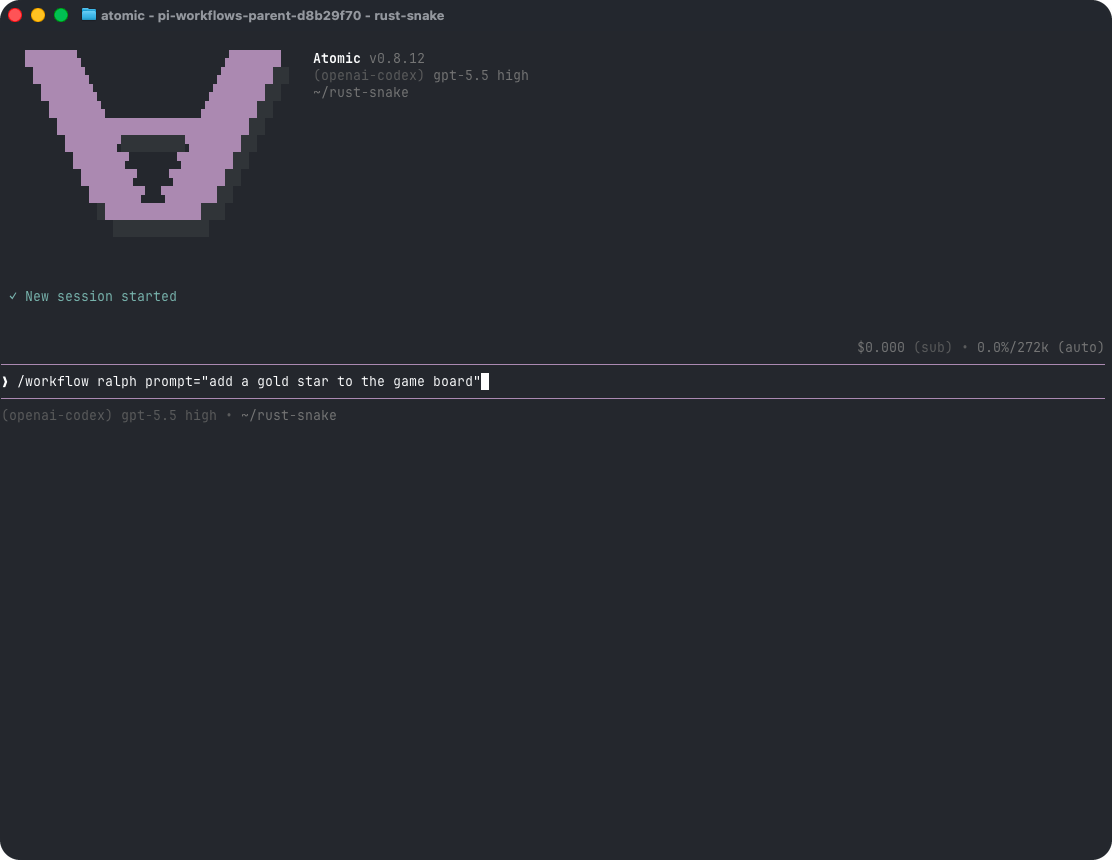
key=value tokens. Atomic parses values as JSON when possible, so count=3, flag=true, and prompt="multi word value" preserve useful types. A whole input object can also be passed as one JSON token. Runtime validation is strict: unknown input keys, missing required values, type mismatches, and invalid select choices fail before a named workflow run starts or before a child workflow starts.
In the TUI, /workflow <name> opens an inline input picker when the workflow declares inputs and either no arguments were supplied or required inputs are missing. Supplied values seed the picker. The picker is mounted and focused in the terminal host in both isolated and non-isolated interactive modes, so Tab/Shift+Tab, arrows, text editing, configured keybindings, Enter, Escape, and Ctrl+C remain responsive without per-keypress host⇄engine traffic. Escape or Ctrl+C cancels without starting the workflow. Pass --no-picker to skip that interactive flow.
In non-interactive (-p, --print, or --mode json) sessions, named workflow dispatch waits for the terminal run snapshot and skips pickers. Because human input is runtime-only and workflows no longer carry a declaration-time HIL marker, headless dispatch does not reject a workflow because its source contains ctx.ui.*.
If you copy a HIL workflow example into a headless session, it can pass dispatch and then fail when execution reaches the prompt with an error such as atomic-workflows: interactive ctx.ui.confirm is unavailable in headless (non-interactive) mode; run the workflow in interactive mode or remove the interactive prompt from this stage (the primitive name varies, including ctx.ui.custom). Run those workflows interactively, or guard/remove runtime ctx.ui.* calls before using headless mode.
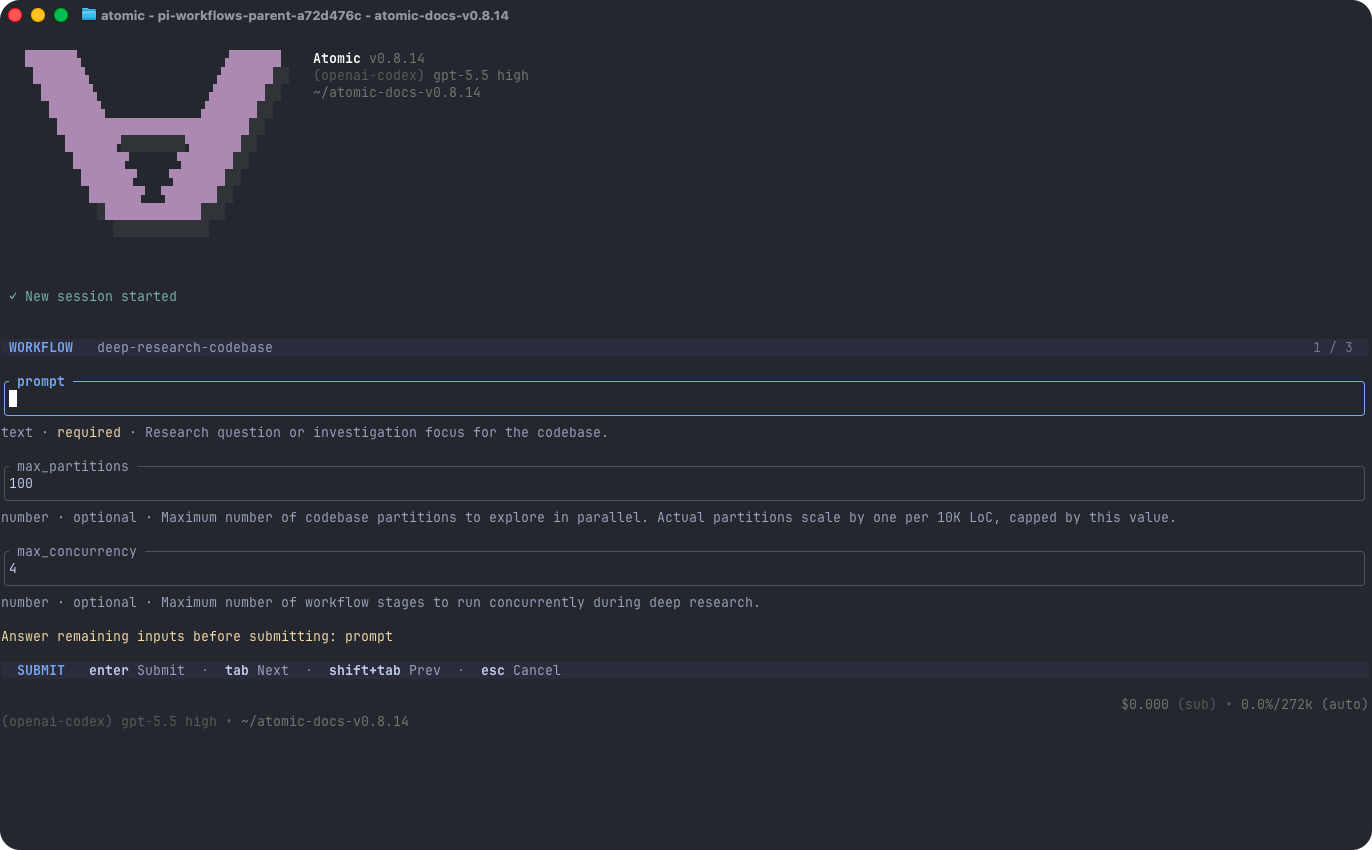
Workflow Commands
- Graph vs. stage chat - Use
connectfor the workflow graph. Useattachwhen you want a chat pane for a specific stage. - Hierarchy chord -
ctrl+xis the workflow hierarchy chord: in an attached stage chat it means return to graph, and in the graph it means return to main chat. The workflow surface handlesctrl+xbefore configurable editor or tool actions, including while a composer draft, primitive prompt, custom question, stage switcher, or legacy prompt card owns input. - Draft preservation - Leaving a stage preserves unsent composer and prompt drafts and keeps pending custom questions unresolved so they reappear when you attach again.
- Reserved keys -
ctrl+dandqdo not navigate workflow surfaces;ctrl+dkeeps its ordinary editor or prompt behavior where applicable, andqremains printable in text-owning prompts. Existingesc,ctrl+c, and graphhclose/hide controls are unchanged. - Wheel and trackpad - While the workflow graph is active, vertical wheel/trackpad gestures pan it up and down, and horizontal gestures pan wide graphs left and right when the terminal exposes horizontal wheel events; these gestures remain scoped to the graph instead of leaking into the main chat or terminal scrollback. Attached stage chats capture mouse/trackpad wheel events by default so scrolling stays inside the active stage transcript or prompt instead of falling through to terminal/main-chat scrollback.
- Tool and node detail - Attached stage chats match main chat’s tool-detail expansion behavior while keeping expansion state local to the workflow UI context. Press Ctrl+O (the configurable
app.tools.expandbinding) to expand every visible workflow node and tool card, including single, parallel, and chain subagent progress, current tool activity, and artifact paths; press it again to collapse them. The toggle works for active, completed, and archived stage views, including at the supported 40-column terminal minimum. A mounted prompt, custom question, or other input-owning overlay keeps the key instead of changing expansion. - Footer context - An attached live stage chat carries the main chat’s current-folder and Git-branch identity into its themed footer and mirrors live extension status lines such as the MCP server indicator. Branch changes trigger a repaint through the host’s cached footer provider, and extension status changes are read from that same provider rather than recomputed by the workflow UI.
- Working animation lifecycle - Ordinary attached-stage work keeps the same exact one-cell
∀visible while following the active workflow theme’s dark → accent → bright/bold → accent → dark luminance ramp every 88ms. Every agent and SDK turn resets to the dark regular phase with a fresh lifecycle-relative cadence; turn, terminal, error, replacement, and disposal cleanup stop the active timer without stale repaint. In an eligible retained-stage chat, every accepted idle follow-up — including a workflow-authoredstage.sendUserMessage(...)after a prior turn ended — shows Working on admission or attach, including while Atomic restores a saved retained conversation, and keeps it through prompt startup, pre-turn compaction, and agent handoff. Attaching or remounting mid-delivery paints immediately rather than waiting for the turn’s first event. A message queued into a live turn withfollowUp/steeruses that turn’s existing status instead of starting a new one. A no-turn result, prompt or restore error, or terminal completion removes it; once the last accepted post-terminal delivery settles, a leftover start cannot bring it back. An accepted manual retry clears stale status from the prior prompt before showing new pre-stream activity.NO_COLORretains regular/bold activity without foreground-color escapes. Reduced motion uses a static regular accent∀without an animation timer; factual automatic retry, fallback, compaction, cancellation, and error copy retains precedence. - Async statusline - If an async/background subagent is running while the fullscreen workflow graph is open, the graph statusline mirrors the async summary so the background run remains visible; hide the graph with
h, leave it withctrl+x, or reconnect later to return to the full below-editor async widget. - Copy mode - Press
ctrl+tinside an attached stage chat to toggle copy mode: copy mode disables workflow-chat mouse reporting so normal terminal/tmux text selection can work; pressctrl+tagain to leave copy mode and restore transcript or prompt scrolling. Archived read-only stage transcripts expose the same footer and copy-mode status, so their text can also be selected and copied;esccloses the transcript andctrl+xreturns to the graph. While copy mode is on, wheel/trackpad gestures are handled by the terminal/tmux and may scroll terminal scrollback, so leave copy mode before using the wheel again. - Run control - Use
interrupt,pause, andresumefor resumable live work. Pause/interrupt holds a stage’s queued steering and follow-up items in place without dequeuing them or starting continuation;resumereleases those items once in their existing per-queue order, but queue release alone does not start a model turn.resumeon a non-paused run reopens the saved snapshot or overlay. Usequitto pause a live run gracefully while preserving it for/workflow resume. - Rediscovery - Use
/workflow reloadafter adding, editing, installing, or removing workflow resources or package manifest workflow entries and you want Atomic to rediscover them in-process (Reloading workflow resources). - Status listing -
/workflow statuslists all retained active and terminal top-level runs by default; implementation-owned nested child runs are flattened into their parent workflow rather than listed separately./workflow status --allis retained as a compatibility alias.
/workflows is the retained-run history alias for /workflow resume: with no id it opens the same mixed resumable/completed picker, and with an id it resumes unfinished work or opens completed inspection. It is intentionally different from /workflow list, which lists installed workflow definitions. See /workflow resume — cross-session resume selector for the full picker semantics.
At the supported 40-column terminal minimum, attached stage chats use the compact ctrl+x graph · ctrl+t … footer. The TUI may truncate provider/model context to make room, but it keeps that context separate from the hierarchy hint so the controls stay readable.
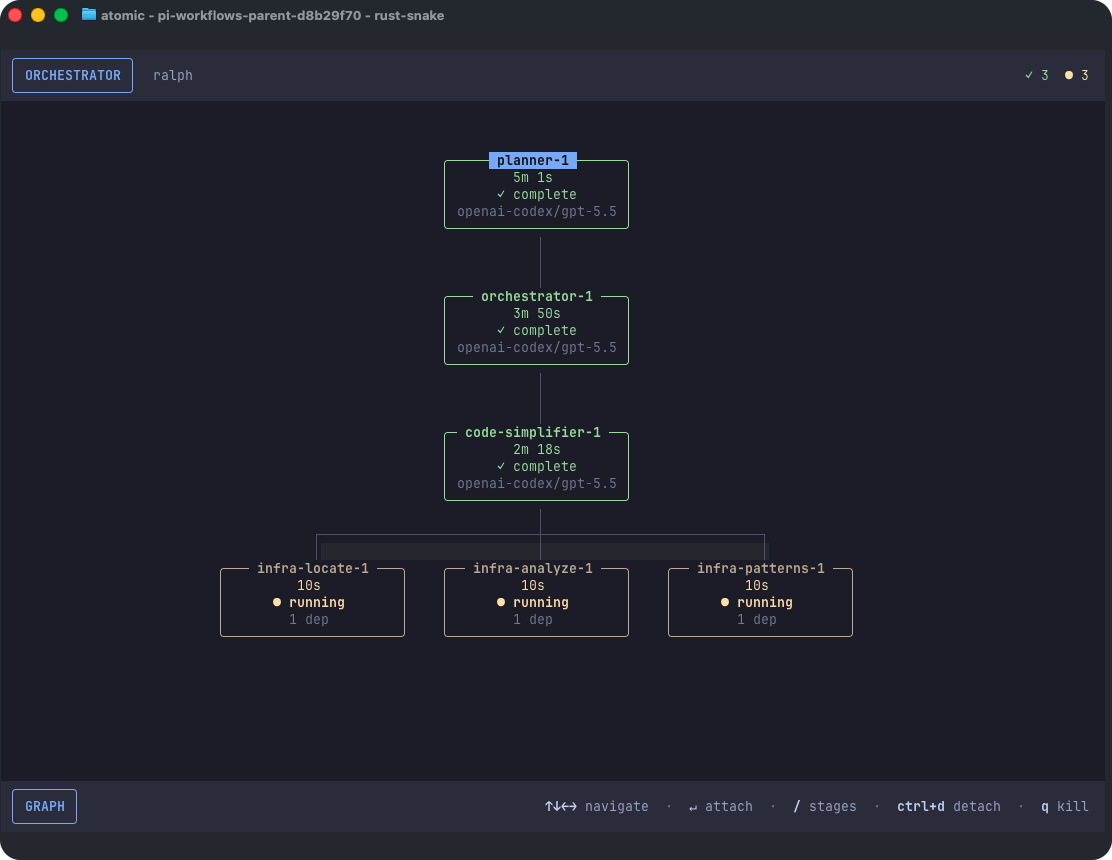
Monitor and Control Runs
The workflow tool exposes lifecycle controls for non-interactive use:runIdaccepts full run ids or unique prefixes for every lifecycle and inspection action, includingstatus. The abbreviated IDs printed by status surfaces are valid inputs. Exact IDs take precedence; a prefix shared by multiple runs returns an ambiguity diagnostic with longer matching prefixes instead of selecting the first run. Status lists and run pickers show top-level user-launched workflows; nested child runs are implementation details of the expanded parent graph.statuswithoutrunIdlists every top-level run in the session with a concise per-run summary: run id plus abbreviated prefix, workflow name, run status, started/ended timing with pause-adjusted elapsed time, currently active stages, and awaiting-input details (count plus the stage, prompt id, kind, and message for each pending human prompt). In-flight runs are listed first. The summaries carry the exact identifiers thatpause/resume/interrupt/quit/sendaccept, so an orchestrating agent can list runs and act on them directly.statusFilternarrows thestatusrun listing: run statuses (pending,running,paused,blocked,completed,failed,skipped,cancelled,killed) match runs directly,awaiting_inputselects runs with at least one stage awaiting input or pending human prompt, andall(the default) includes everything.format: "json"on data-bearing inspection actions (status,stages,stage,transcript) returns the full structured result; the default text output forstatusis the concise per-run summary list.status/status <runId>show terminalctx.exit(...)statuses (completed,skipped,cancelled, orblocked) and the optional exit reason when one was supplied.stageslists stage summaries, including flattened stages from nestedctx.workflow(...)imports andsessionFile/transcriptPathwhen a stage has a persisted session. UsestatusFilter: "all"to include completed, failed, skipped, and pending stages.stagereturns details for one stage by stage id, unique prefix, or stage name, including nested child stages shown in the expanded graph and the persistedsessionFilewhen available. Abbreviated stage IDs printed in graph/control messages use this same unique-prefix resolver; collisions return an ambiguity diagnostic rather than selecting a stage.transcriptis reference-first with a small preview by default: it returns metadata, transcript paths, and up to 5 recent entries. For targeted lookup, quote the exactsessionFile/transcriptPathvalue without changing platform separators (preserve Windows backslashes), search it withrgorgrep, then read only small surrounding ranges. Text results include JSON-escapedsessionFileJson/transcriptPathJsonlines for copy-safe path literals. Pass explicittailorlimitto override the 5-entry preview;tailoverrideslimit;includeToolOutputincludes captured snapshot tool output in snapshot transcript results.sendoperates only while the authoritative root workflow is nonterminal; delivery modes areauto,answer,prompt,steer,followUp, andresume.- A terminal root (
completed,failed,skipped,cancelled,killed, or terminalblocked) rejects every programmatic send withstatus: "failed",code: "WORKFLOW_TERMINAL",delivery: "rejected", the requested root run id and terminal status, and guidance to start a new workflow. Proceed inline instead only when the remaining work is small, deterministic, and low risk. - Atomic checks an already-terminal root before stage resolution, nested-owner routing, prompt inspection, retained-session probing or revival, handle lookup, message admission, and delivery selection. That rejection creates no agent session or handle, appends no transcript, starts no model/tool/file work, answers no input, and mutates no workflow/stage snapshot. Missing or malformed retained sessions receive the same root-terminal error without being probed.
- Atomic checks the same shared terminal authority again at the final synchronous SDK message-admission boundary. If a live root terminates while retained-session creation is pending, the send fails with
WORKFLOW_TERMINAL, disposes its unclaimed provisional session/handle, and admits no prompt, model request, tool/file work, transcript append, or workflow-state mutation. A user-driven attach or Intercom claim remains independent and keeps the retained handle. - Prompt answers on a nonterminal root can include
promptIdand can carry answer content inresponse,text, ormessage; structured UI prompts usually preferresponse. - For a live idle, non-paused stage,
prompt,followUp, and eligibleautodelivery all start a fresh prompt immediately; an actively streamingfollowUpremains queued andsteerremains steering, so neither starts a concurrent prompt. During controlled pause, every context-bearing delivery remains held instead. The result’sdeliveryand message describe the action actually taken (prompt,followUp,steer,answer, orresume), not merely the requested mode. Explicitresumeagainst a stage that is not paused is a truthful no-op, and explicit message deliveries cannot bypass a paused stage; resume it first. - While the root remains nonterminal, follow-up messaging to an eligible completed child stage can reuse its retained
sessionFile. After the root terminates, use explicit/workflow attach <run-id> <stage>post-mortem chat instead;workflow sendnever admits a retained-session turn after terminal publication. - Arbitrary
ctx.ui.custom<T>widget prompts require the interactive workflow graph and return a clear unsupported message when targeted throughsend.
- A terminal root (
- On a nonterminal root,
delivery: "auto"first answers a pending prompt, then resumes paused work, then steers a streaming stage, and finally starts a fresh prompt when the live stage is idle. pause,interrupt, andquitcan target one top-level run orall: true;stageIdcannot be combined withall: true. Stage-scopedpauseandinterruptcontrols can target a visible nested child stage from the expanded graph;quitremains run-level. Atomic routes stage controls to the owning nested run internally.interruptis resumable: it pauses live work when pausable stages exist and keeps the run in live history/status.pauseis useful for pausing a live run or a single live stage without treating it as a destructive abort.resumecan target a stage withstageId; the target may be a stage id, unique prefix, or stage name.messageis forwarded to paused work. For a live interrupted streaming prompt, Atomic preserves the existing prompt loop without duplicating the user message and injectsContinue where you left off. If you believe you are finished with your original task (or a redefined task if the user told you), stop.when required before normal readiness-gate completion. For a paused stage that was idle waiting for a new stage-chat turn, a non-empty message resumes the stage and starts exactly one fresh prompt containing that message; an empty resume releases the pause without creating a prompt.- An explicit workflow-tool
resumetarget that is absent from the current session store triggers targeted DBOS discovery before Atomic returnsRun not found. Eligible exact IDs and unique prefixes resume under the original workflow ID; durable prefix collisions return every matching ID. Resource-loading and durable-backend failures remain visible. Ordinary workflow-toolstatuslisting stays session-local and does not eagerly hydrate durable history. quitgracefully pauses in-flight work, marks the run resumable, and leaves it available to/workflow resume.reloadrefreshes discovered workflow resources in-process; the optionalreasonis echoed in the result.
Pausing, quitting, and resuming
Graceful quit is idempotent for an already-paused resumable run. If a run is waiting onctx.ui, quit preserves its current DBOS prompt reservation. Answers cannot advance paused workflow code until explicit resume; checkpointing the answer releases exactly that reservation generation. Concurrent and nested prompts use composed scopes and independent DBOS reservation tokens.
When a paused stage interrupted an active model turn, Atomic preserves that turn’s existing pause loop: a non-empty resume message is delivered exactly once through the resumed loop, and (if the stage has not finalized) Atomic injects Continue where you left off. If you believe you are finished with your original task (or a redefined task if the user told you), stop. before normal completion/readiness handling. A no-message interrupted-turn resume injects the same continuation directly. A different state applies when the stage was idle and waiting for a new stage-chat turn: resuming with a non-empty message starts exactly one fresh prompt containing the text, while an empty resume only releases the pause and does not fabricate a user turn or continuation.
The same continuation applies to user messages queued into a live streaming stage. Steering a turn (Enter in an attached stage chat), queueing a follow-up (Ctrl+F), or using workflow({ action: "send" }) with steer/followUp delivery arms the identical continuation prompt, which Atomic injects once when the interrupted turn ends — even if several messages were queued during that turn — so a steered stage returns to its original (or user-redefined) objective instead of stopping after answering the queued message.
Messages delivered to an idle stage start a fresh user turn immediately and receive no continuation nudge; abort, kill, workflow exit, and finalized/fail-fast stage boundaries suppress late prompt creation and continuation injection.
When several paused stages resume together, Atomic settles every acknowledgement and then re-reads the actual stage/control state. A late rejection after its stage visibly starts counts as resumed and is not retried; genuinely paused failures remain available for a later resume. The run and durable root follow visible running work, while slash/tool output reports acknowledgement or durable-transition failures as partial progress instead of a no-op. If local resume succeeds but persisting the durable running transition fails, a later resume request retries reconciliation while the durable handle remains paused. A terminal run cannot be revived by a late acknowledgement.
Post-mortem chat vs. execution resume
These are distinct operations. Resuming workflow execution (/workflow resume) is for paused, interrupted, recoverably failed, or unfinished durable work; it may replay checkpoints, continue an incomplete stage, and dispatch remaining DAG work. Opening a post-mortem chat reopens one terminal agent stage’s retained conversation for follow-up only — it never resumes, retries, rewinds, or otherwise changes workflow execution.
Any eligible terminal agent stage with a valid retained session opens as an interactive post-mortem chat through the explicit user-driven TUI path: completed-workflow inspection, /workflow attach, or /workflow connect followed by stage selection, including restored/replayed durable snapshots after a restart. Explicit /workflow attach <root-run> <nested-stage> targets are resolved through the expanded graph and routed to the child run that owns the stage while the overlay remains rooted on the requested graph; the resolved owner is preserved when sibling child workflows reuse the same local stage ID.
workflow({ action: "send" }) is not a post-mortem path. Once the root is terminal, programmatic sends fail closed before retained-session probing or nested-stage routing. Start a new workflow if tracked work remains; proceed inline only for small, deterministic, low-risk work.
When a nested stage is reopened after a restart or from another checkout through the explicit TUI path, its session cwd comes from the durable root workflow (resolved workflow cwd first, then original invocation cwd) while stage-control ownership remains with the actual child run. Follow-up turns are appended in place to the stage’s retained session (no separate fork), so the agent may still invoke its ordinary tools and cause side effects; only the workflow DAG, run/stage status, results, timings, checkpoints, and topology are immutable. Post-mortem chat does not resume or modify workflow execution state.
Pressing Escape during a live post-mortem turn pauses that retained conversation’s queued messages without changing the terminal workflow snapshot. The next ordinary submission explicitly releases the conversation queue before it starts the new turn; clearing or restoring every visible queued item does not implicitly resume it.
Every host session replacement or shutdown invalidates post-mortem handles, including a session whose lazy reopen is still pending: if creation finishes after the boundary, Atomic disposes the newly created session and rejects the already-submitted prompt before it can execute. A stage stays a read-only transcript when it has no valid retained agent session — prompt/HIL and boundary/summary nodes, skipped nodes without a completed conversation, non-terminal handle-less stages (another process may still own the session), and missing/malformed/deleted session files.
When a known stage cannot be reopened, the attached chat shows the complete SESSION UNAVAILABLE explanation down to the supported 40-column minimum instead of incorrectly labeling an invalid file as an archived transcript. Recoverably failed stages keep their execution-resume semantics and are not silently reopened as post-mortem chat.
Completed stages also remain addressable by blocking intercom.ask calls from sibling workflow stages. If an ask reaches a completed target with a retained conversation, Atomic schedules one serialized post-mortem turn in that exact conversation; no manual workflow send follow-up is needed.
The target sees the original ask, and its normal intercom.reply remains correlated to the originating child session and message ID. The parent chat or another session cannot satisfy the waiter. Late-message routing uses single-owner claiming: after the workflow post-mortem router claims a completed-stage ask and assigns its completion promise, later listeners preserve that claim, making bundled extension registration order irrelevant.
This reopens only the conversation. The workflow DAG and terminal stage snapshot remain completed and are never resumed or re-dispatched. If the target run or stage was deleted, lacks a valid retained conversation, is non-resumable, or fails to reopen, the caller receives a bounded actionable intercom.ask tool error instead of waiting indefinitely.
Workflow stage sessions and first-party subagent transcripts created inside them are classified as internal at creation and excluded from the standard /resume, atomic -r, --continue, and global history surfaces. Fork-context stages and subagents inherit the owning run/stage marker in their initial JSONL header, avoiding a briefly visible ordinary session. They remain resumable and inspectable through the workflow-specific commands and tool actions shown here (/workflow resume, /workflow attach, workflow({ action: "status" | "stages" | "stage" | "resume" })), which read the run/stage store and its sessionFile links directly.
Passing a stage session’s file path to --session still opens it explicitly. Classification requires exact internal: true plus complete run/stage metadata; malformed legacy markers and ordinary user forks remain in standard history. Legacy workflow sessions created before this marker behavior lack provable ownership and continue to appear until they age out.
Lifecycle Notices and Human Input
Atomic emits deduplicated main-chat notices when top-level workflow runs complete, fail, end blocked, or stop at an active recoverable provider/auth/rate-limit block. A recoverable block remains resumable (status surfaces and headless results report it as blocked even though the stored live snapshot stays active), is retained durably as blocked for cross-session resume, appears in the resume picker, and its notice says the workflow is blocked rather than implying terminal completion. Each blocked occurrence is deduped by its blockedAt timestamp, so a resumed workflow that hits another recoverable block re-notifies the invoking chat. Nested child workflow outcomes are reflected inside the expanded parent graph instead of producing separate top-level cards.
Previously, the streaming persistWhenStreaming path directly appended the visible card. It did not enqueue a native steer/follow-up or schedule a later model step. Therefore, an earlier provider context snapshot could finish with an uncorrected running claim.
Streaming lifecycle delivery now deliberately splits display from reconciliation. Before send admission resolves, Atomic appends one display: true, excludeFromContext: true lifecycle card to agent state and SessionManager; that same durable entry atomically carries the recovery marker for its hidden turn. Atomic separately submits the same raw notice text as a display: false internal reconciliation through the native steer boundary. This fixes the former direct-context race: a visible entry cannot become provider input between an assistant workflow call and its required status=running result, while a notice that arrives during final text still causes a later correcting step. The lifecycle path never aborts the active chat itself.
The visible card preserves the lifecycle custom type, raw notice text, exact details payload (including omitted optional fields), and display behavior. Each deduplicated occurrence has exactly one visible/persisted lifecycle card; the internal reconciliation is hidden and persisted separately only after agent-core consumes it at the provider-safe boundary. If the process exits after card admission but before consumption, startup finds the unresolved marker and queues that hidden correction once; repeated startup binding skips an already queued intent, and the persisted hidden completion suppresses all later restores. Protection is registered before public card listeners run. Session replacement and shutdown fail closed while the hidden input remains queued, since persisting it before a pending tool result would break provider protocol order; host-owned invalidation work does not run on that failed teardown. A transient reconciliation write failure retries persistence without re-queueing model input or creating another card. Physical session appends restore the exact prior file length after a partial write failure, so a later card or reconciliation retry cannot inherit a malformed JSONL tail or phantom parent. Before session replacement or shutdown can discard consumed in-memory recovery state, Atomic flushes the reconciliation again; if that write still fails, disposal stops and keeps the current session recoverable.
clearQueue() restores only protected references it actually removed, so a reference already drained into core-local in-flight state is not aliased. Stage-session delivery transfer moves protection only with transferred queued references and leaves in-flight ownership at the source. Delivery is acknowledged only after the display card append succeeds; while the invoking chat remains active, a rejected admission retains its original payload and retries with capped backoff even if the run changes state or notification configuration is reinstalled. Session replacement cancels those admission attempts and clears their payloads rather than waking an unrelated chat with an uninspectable old run. Awaiting-input workflow states are tracked for dedupe/restore, but they do not enqueue main-chat connect cards or wake the model; prompt state remains visible through workflow status/connect surfaces.
When an active recoverable block is resumed in-process, Atomic dispatches a fresh-ID continuation that replays the source’s completed stages and re-runs the failed one. The durable source is left untouched (stays blocked/resumable) so it remains discoverable and recoverable — including a zero-checkpoint first-stage block — if the process dies before the continuation settles; the local source snapshot is killed so the same session will not re-resume it. A process-local claim prevents a concurrent same-session double-dispatch.
Configure lifecycle behavior with workflowNotifications.enabled (default true) and workflowNotifications.notifyOn (default ["completed", "failed", "blocked", "awaiting_input"]).
Human input is runtime-only: call ctx.ui.input, ctx.ui.confirm, ctx.ui.select, ctx.ui.editor, or ctx.ui.custom<T> when the workflow needs a decision. No builder-level declaration is required or supported.
Human-in-the-loop prompts from ctx.ui.input, ctx.ui.confirm, ctx.ui.select, ctx.ui.editor, and ctx.ui.custom<T> appear as awaiting-input nodes in the workflow UI/graph viewer, not as ordinary chat modals. Workflow definitions do not declare HIL; runtime ctx.ui.* calls create prompt nodes. If the prompt lives inside an imported child workflow, it still appears in the same expanded parent graph so the user can focus and answer it without switching to a separate child status entry.
Use /workflow connect <run-id> (or F2), then press Enter on the focused node or click a graph node to focus and open or attach it for local answers. Custom widget prompts mount inside the attached stage chat and must be completed interactively with the widget’s done(value) callback.
When a workflow needs human input, answer in the graph viewer or attached stage chat when possible:
workflow({ action: "send", delivery: "answer", ... }) only while the root workflow is nonterminal; use promptId when it is present in the stage details, and provide answer content with response, text, or message. Arbitrary custom TUI widget prompts intentionally refuse this path in iteration 1 because a generic T cannot be reconstructed safely from a non-TUI payload.
ctx.ui.custom<T>(factory, options?) reuses Atomic’s TUI component path: the factory receives the same real (tui, theme, keybindings, done) types as extension ctx.ui.custom, and the workflow resumes with the value passed to done(value). Use options.label for a safe display-only graph/status label and options.replayIdentity when widget semantics can change without the callsite changing. Do not put secrets in labels or replay identities; only a hash of the identity is stored, and label text is not part of replay identity. Inline connected rendering is supported; overlay: true is rejected clearly because nested workflow graph overlays are not safely supported yet.
Prompt answers are replayable only while the source run remains in the live in-memory store. StageSnapshot.promptAnswerState is snapshot-safe metadata for continuation: available means a matching live answer can be replayed, unavailable means the matching prompt node exists but its private answer was purged, and ambiguous means multiple matching prompt nodes exist so Atomic asks again. The raw answer lives in a private PromptAnswerRecord ledger, is never written to snapshots or persistence, and remains resident in memory until the answer is cleared, the run is removed, or the store is cleared.
Prompt replay keys include the prompt kind, message text, select choices, input/editor initial value, custom prompt identity hash, and hashed author callsite, so changing any of those inputs may intentionally re-ask on continuation. An empty ctx.ui.select(..., []) has no answerable choices and throws before creating a prompt node. Arbitrary custom-widget answers cannot be supplied through workflow send; focus the custom awaiting-input node in the interactive graph instead.
If the user answers a human-in-the-loop prompt in the workflow UI or stage UI broker, the stage receives the answer directly and the active main chat receives a display-only notice (triggerTurn: false, excludeFromContext: true) containing a concise answer summary. The notice is rendered for the user and persisted for audit, but it does not wake the model, enter LLM context, or authorize answering any other workflow prompt. Prompt answers sent by the main-chat workflow tool are suppressed from this notice because the tool result already informs the current turn.
When an interactive, non-schema workflow stage calls ask_user_question, Atomic waits for the stage’s assistant turn to finish and then brokers the deterministic readiness question “Are you ready to move on to the next stage?”. This includes typed or freeform questionnaire answers reported as details.answers[].kind === "chat": the assistant first gives its normal conversational response, then the stage becomes awaiting_input with inputRequest.kind: "readiness_gate" in workflow status and graph surfaces.
In this chat-answer flow, choosing the ready option completes the stage and releases dependent stages. Choosing the not-ready option keeps the stage open for a genuine stage-chat turn and brokers readiness again after that turn. A chat answer is never treated as an invisible stay decision.
The readiness prompt can be answered in the attached stage UI or with workflow({ action: "send", delivery: "answer", ... }). Ordinary structured-option answers retain their existing readiness behavior. A schema-backed stage that has successfully finalized through structured_output is terminal and does not reopen this readiness gate.
Durable Workflows and Cross-Session Resume
Atomic workflows use DBOS/Postgres as their sole persistent workflow backend. Atomic configures and launches DBOS lazily on the first workflow action, reuses that process-wide instance, and awaits readiness before workflow execution, resume, inspection, or deletion can access durable state.DBOS_SYSTEM_DATABASE_URL may select an existing database; DBOS query and write failures fail the workflow action and never select another backend.
Zero-configuration local database. Without DBOS_SYSTEM_DATABASE_URL, Atomic runs DBOS against its own embedded Postgres built from npm-distributed binaries — no Docker daemon or system Postgres install. The cluster lives under ~/.atomic/postgres/v18 on dedicated port 5439; the first workflow action initializes it once and starts it with pg_ctl as a detached daemon that survives Atomic exiting, is shared by every concurrent Atomic session, and is never stopped by Atomic.
Running as root (Linux). PostgreSQL refuses to run as UID 0, so a root Atomic process (containers, CI sandboxes, eval harnesses) resolves an unprivileged system account (postgres, nobody, or daemon), keeps the cluster under /var/lib/atomic-postgres instead (a root home directory is untraversable for that account), and runs every Postgres command with dropped privileges. When the embedded binaries themselves sit under an untraversable prefix (for example a root-owned ~/.nvm global install), Atomic copies the Postgres runtime into the cluster directory once and reuses it.
When the embedded binaries are unavailable for the platform, Atomic falls back to DBOS’s reusable dbos-db Docker container. If no durable backend can be provisioned at all, workflows degrade to a process-local in-memory backend with a loud warning instead of refusing to run: the run executes normally, but its state does not survive the process and /workflow resume after exit has nothing to restore. Set DBOS_SYSTEM_DATABASE_URL to an existing Postgres to restore durability.
Multiple concurrent Atomic sessions. Every Atomic process launches DBOS with a unique executor id, and running root workflows carry owner/heartbeat metadata refreshed by ordinary ≤30-second stage-timing checkpoints. Running workflows are never resume targets: a running row with a fresh heartbeat is hidden from every session’s picker and refused by direct /workflow resume <id> — resuming a workflow that is executing elsewhere would double-dispatch it. Once the heartbeat goes stale (about two minutes after a crash), the workflow surfaces as a red crashed row.
When two sessions race to resume the same paused workflow, a durable first-writer-wins claim decides exactly one winner; the loser reconciles to the authoritative state and reports that the workflow changed while resume was pending.
How it works
- Only
ctx.*blocks are checkpointed: code outsidectx.*is not durable. - Durable side effects and graph nodes: every
ctx.toolinvocation creates a tracked, non-chat graph node before its callback runs. Atomic flushes successful outputs and opt-in recoverable failure outcomes before exposing them, so resume does not repeat an already-settled callback. Tool nodes can appear before, between, after, or without model stages. - Durable child identity before dispatch: before a nested
ctx.workflow(...)can run child code or a child side effect, Atomic persists and awaits a versioned boundary-start record containing its stable boundary and child run ids, root/parent ownership, source order and parents, composed replay scope, alias, workflow, lifecycle state, and a deterministic fingerprint of the definition plus exact validated inputs. Distinct-input parallel calls keep stable independent scopes even when restart reverses dispatch order; identical calls share that fingerprint and use their own ordinal. Replay validates and reuses that identity before allocating any UUID. - Symmetric nested scopes: child effects stay stored under the durable root, while every child sees only its own local checkpoint view. Each nesting layer strips exactly one scope and never suffix-matches sibling or root data, so the rule composes at any depth.
- Stable durable graph: tool, stage, task, chain, parallel, and child-workflow checkpoints preserve stable source identity/order, parent DAG edges, actual status, owning-run/boundary metadata, timing, output summary, model, retained chat-session references, and exact
{ runId, stageId }targets. Fresh-process resume and completed inspection reconstruct tool-only, nested-child, mixed, and parallel topology directly from DBOS. - DBOS-only discovery:
/workflow resume,/workflows, completed inspection, deletion, and targeted lookup hydrate/query DBOS. Session JSONL remains only a chat transcript referenced by a current checkpoint; it is not a workflow catalog or discovery source. - Fail-closed compatibility: prior local and pre-current records are not converted. A completed current-format child boundary created before boundary-start or invocation-fingerprint identity is accepted only when child checkpoints reciprocally prove the same root, parent run, boundary, child, and scope. Active records without a provable invocation fingerprint, and malformed, duplicate, stale, nonreciprocal, mixed, aliased, cyclic, orphaned, or unsupported topology, are hidden or refused before cache/control/child dispatch without inventing a child link or executing repair work.
- Topology validation boundary: authoring and discovery guidance cannot prove dynamic acyclicity. Runtime topology work must validate each materialized parent edge incrementally during execution and replay, and DBOS hydration must reject cyclic restored topology before exposing cache, control, or child dispatch.
- Cross-session safety: per-process executor identity, owner/heartbeat liveness on running handles, and claim-guarded status transitions prevent double dispatch when several Atomic sessions share the database.
ctx.* call structure can intentionally invalidate matches. Finish or delete retained runs before deploying incompatible workflow changes. Atomic refuses a stored child boundary whose fingerprint, replay scope, alias, workflow, ownership, source order, or parentage no longer matches instead of attaching it to the changed call site.
Durable /workflow resume preserves completed stage metadata, active-stage elapsed time, total run elapsed time, source order and parent edges, actual lifecycle status, nested ownership, and exact control targets. A completed nested boundary, its completed child stages, ctx.tool effects, and answered ctx.ui responses are cache hits; only incomplete child or downstream parent work continues. Raw stage-chat prompt answers represented by StageSnapshot.promptAnswerState remain live-memory-only and are not DBOS-persisted. While an LM stage or task is active, repeated durable checkpoints refresh its accumulated pause-adjusted duration even when its session file does not change, and refresh the run’s total accumulated elapsed time alongside it. Graceful quit forces an exact stage and run timing checkpoint even inside the ordinary 30-second update bucket; normal completion also persists the final accumulated run total.
Each new Atomic process that reopens unfinished work starts from the latest saved baseline, so repeated process-boundary resumes keep stable boundary/child ids, status, graph, and lifecycle duration cumulative without double-counting pauses. A stage paused at ten seconds resumes at ten seconds, and the main-chat dashboard reports prior-session elapsed plus current-session elapsed. Completed inspection uses that same accumulated run timing rather than DBOS record wall-clock age.
Repeated, sibling, sequential, parallel, and multi-level child calls keep independent composed scopes and stable boundary order. The expanded graph routes attach, send, pause, interrupt, and resume through each stage’s ordinary owning { runId, stageId}. Exact expanded ids resolve first; local ids, prefixes, and names resolve only when unique, so collisions never select the first match silently.
ctx.tool — durable cached tool execution
The ctx.tool(name, args, fn, options?) primitive runs arbitrary TypeScript code as a first-class durable graph node and caches the result durably. The node is non-attachable and has no stage chat controls. It is valid before, between, after, or without model stages, so a tool-only workflow completes normally; a workflow that returns normally without any stage, child, tool, or explicit exit remains invalid. On resume, if that ordinal tool call already completed (matched by call order plus content hash of name + args), the runtime returns the cached result without re-executing the function—ensuring completed side effects are not repeated while still preserving two intentional same-name/same-args calls as distinct ordered nodes. Legacy child checkpoints without topology keep that cached output authoritative even if the additive ownership-migration write is temporarily unavailable: current replay uses inferred child ownership, a later replay retries the metadata write, and fresh completed inspection falls back to root ownership with topology unavailable until a migration succeeds.
When the workflow body fulfills but one or more admitted tool calls failed, Atomic promotes the first observed failure to the terminal run failure, regardless of admission order, and persists that selected tool-node identity for status inspection and lifecycle output. A direct uncaught await ctx.tool(...) rejection keeps the original error and persists its failed-node link through session and durable restore. First-event arbitration also preserves the selected node when concurrent failures throw the same object or primitive; unrelated later stage or body errors do not inherit a caught tool’s origin. Tool admission remains open while author code can catch a failure and continue. Once the body settles and failure has won before any real cancellation, Atomic closes admission, cancels remaining non-failed tool nodes, waits for observed failed nodes to finish publication, and publishes the failed root without waiting for callbacks that ignore cancellation.
Set failureMode: "return" when a failed check is expected data for a later repair stage. Atomic runs all configured retries first, then returns a WorkflowToolOutcome<TValue>. A successful callback returns { ok: true, value, attempts, cached }. An exhausted callback failure returns { ok: false, error, attempts, cached }; error preserves integer exitCode and string or byte-buffer stdout/stderr when the thrown value exposes them. The live and restored tool node stays failed, while the workflow body may continue and complete. On replay, Atomic returns the same stored outcome with cached: true and does not run the callback again.
Recoverable output is explicit data flow. Atomic does not add a failed tool outcome to a later stage prompt. The workflow author must place the needed fields in prompt, previous, an output, or an artifact. Each persisted error text field is best-effort secret-redacted with the workflow persistence rules and limited to 16 KiB of UTF-8; truncated fields keep the final bytes with a marker. Keep the database sensitive even with this filter.
Cancellation, closed tool admission, and durable-storage faults still throw. They never become ordinary { ok: false } callback outcomes. Omitting failureMode: "return" also keeps the existing behavior: an exhausted callback error rejects ctx.tool and fails the workflow unless author code catches it. Atomic persists that failed node and the root’s selected tool link for later inspection, but excludes the failure record from the replay cache, so a resume or rerun calls the function again. Command failures that expose exitCode, stdout, or stderr remain failures even when a wrapper also uses cancellation-like text or codes; only a real run cancellation that wins the terminal race produces a killed/cancelled root.
Tool admission stays open while the workflow body runs and while already-admitted tools drain, including immediate promise-settlement continuations. Before any completed, failed, blocked, exited, or cancelled executor outcome is published, admission closes atomically. A detached call through a retained ctx.tool function after that point returns a rejected native promise without starting its callback, retries, graph node, or durable checkpoint; ignoring that promise does not emit an unhandled rejection.
iteration makes each loop pass a distinct durable call. Reusing the same call position and arguments during resume replays its stored outcome instead of running it again.
/workflow resume — cross-session resume selector
The /workflow resume command mirrors /resume ergonomics and /workflows is its alias. With no id, it builds one newest-first picker from eligible live runs and current DBOS resumable/completed records. DBOS is the authoritative catalog; selected records are hydrated and revalidated before resume or inspection. Running workflows never appear: fresh-heartbeat rows are excluded in every session to prevent double dispatch, and stale ones surface as crashed.
Rows carry semantic colors — completed green, paused yellow, failed/blocked/crashed red — and show checkpoint progress without the redundant pending-prompt count. The open picker live-updates on local run changes plus a bounded cross-session poll, so state transitions appear (and freshly running workflows disappear) without reopening it.
Ctrl+D deletes a highlighted inactive durable or completed row after confirmation. Deletion rechecks same-process activity and the authoritative DBOS status, refuses a running workflow, and leaves host and stage chat transcripts untouched. The history surface matches /resume retention semantics: eligible runs remain searchable regardless of age or count, with no automatic history garbage collection. The picker mounts before asynchronous catalog hydration completes and merges DBOS rows when ready.
Only current-format DBOS records are selectable. Atomic hides unsupported or malformed records without reinterpreting them.
Selecting a paused, resumable failed, blocked, or crash-recovery target follows the existing resume path unchanged: Atomic re-dispatches the workflow with its cached inputs and the original workflow id. Every nested invocation validates and reuses its durable boundary and child identity before dispatch. Previously completed ctx.tool, ctx.ui, stage/task/chain/parallel items, and child boundaries replay from checkpoints instead of executing again; only incomplete work continues.
Selecting a completed target—or a checkpointed failed target marked non-resumable—follows a separate read-only open path. Atomic reconstructs root and reciprocal nested child-run snapshots from authoritative checkpoints, remaps persisted source-stage, boundary, and tool references into a stable expanded hierarchy, and never calls the resume dispatcher or runs workflow code, tools, tasks, or prompts. These graphs remain inspectable even when no retained chat transcript survives, including tool-only graphs.
A terminal child stage with a valid retained session may be reopened for detached post-mortem conversation through /workflow attach or completed graph inspection. Follow-up is routed to that real child {runId, stageId} and may append chat, but it cannot pause, resume, retry, mutate root or child execution state, write a terminal checkpoint, or emit a duplicate lifecycle notice. Programmatic workflow send rejects the terminal root before nested-owner routing or session probing. Tool nodes never offer chat attachment.
New tool checkpoints persist topology. A current-format tool checkpoint created before that additive topology existed still replays safely: its cached output remains authoritative and its callback is never rerun. Root-level inspection derives deterministic fallback identity/order from checkpoint identity and record order. If a topology-less cached tool replays inside a child workflow, Atomic first appends awaited topology metadata with the current child/boundary ownership, without replacing the original output checkpoint. Foreign or malformed checkpoint formats remain excluded.
Fresh completed inspection does not currently persist the workflow’s declared root output. Live run() results still expose the declared output, and this output-persistence limit does not block durable tool topology or read-only graph inspection.
workflow({ action: "resume", runId: "<id-or-prefix>" }) surface uses the same durable resumable-target lookup behavior for explicit targets. If the target is absent locally, Atomic loads workflow resources, queries the authoritative DBOS resumable catalog, and only then reports a missing run. This targeted hydration does not change workflow({ action: "status" }): an empty session-local status before explicit resume does not imply that DBOS deleted the workflow.
Prefixes and other targets continue through the combined catalog so ambiguity and read-only inspection behavior remain unchanged. Ambiguous prefixes use the existing-style diagnostic. A current completed or non-resumable failed backend row with valid graph checkpoints remains inspectable even if every retained stage conversation is unavailable. Missing, empty, directory, context-empty, or partially malformed transcript paths are stripped from chat attachment while the graph stays read-only and visible.
Validation uses the final retained transcript for a repeated stage replay key, so an obsolete superseded checkpoint path does not hide an otherwise valid read-only graph. Reopening inspection refreshes a changed authoritative retained-chat handle. Session-cache-only rows are hidden because the backend is authoritative. Checkpointed non-resumable failed roots appear only in read-only history; cancelled, killed, blocked non-resumable, failed roots without saved progress, and other terminal non-success states are never added. Normal /resume, atomic -r, and --continue behavior for internal workflow stage sessions is unchanged.
Cancellation, failure, and retry semantics
Configuring DBOS/Postgres
DBOS/Postgres durability requires no setup on supported local platforms. To use an existing Postgres database, setDBOS_SYSTEM_DATABASE_URL before starting Atomic; otherwise Atomic provisions embedded Postgres (with drop-privilege support when running as root on Linux), with Docker as a platform fallback. The DBOS SDK ships with @bastani/atomic. If no durable backend can be provisioned, workflows run on a process-local in-memory backend with a loud non-durable warning — never on the legacy per-workflow file store under ~/.atomic/workflow-durable — and cross-process resume is unavailable until Postgres provisioning is fixed.
/workflow resume lists or resumes a DBOS-backed workflow in a fresh process, Atomic first hydrates its in-memory replay mirror from DBOS. Atomic stores checkpoints as structured, versioned DBOS outputs containing the checkpoint kind, id, tool argument hash, UI prompt hash, stage replay key, completed output, and additive versioned stage-topology metadata when available, so replay can skip completed ctx.tool, ctx.ui, ctx.stage, ctx.task, ctx.chain, ctx.parallel, and ctx.workflow work without relying on prior in-process state and completed inspection can rebuild the original DAG.
Atomic updates the in-memory replay mirror for awaited DBOS checkpoints only after DBOS accepts the write, and root metadata is mirrored as versioned DBOS records where the latest timestamp wins during hydration. Unmarked raw-output checkpoint records remain readable as generic stage checkpoints when their workflow has compatible current metadata; marked envelopes with unsupported envelope versions are ignored rather than decoded as raw output, while unsupported or malformed additive topology fields are ignored without dropping an otherwise valid stage envelope.
Atomic does not use the legacy file backend under ~/.atomic/workflow-durable; cross-session /workflow resume reads DBOS only.
Workflow Locations
Atomic discovers workflow definitions in this order:
A workflow module may export one default workflow definition and/or named workflow definitions. Discovery checks the default export first, then named exports.
Discovery validates every runtime export of a discovered workflow file as a workflow definition. Discovery rejects a named export that is not a workflow definition — a widget factory, shared constant, or utility function — with an
INVALID_DEFINITION discovery diagnostic (export is not an object), even when the module also has a valid default export (the valid workflow still loads; the diagnostic flags the extra export as skipped). TypeScript erases type-only exports (export type / export interface) at runtime, so discovery never flags them.
To co-locate reusable helpers with your workflows — for example a ctx.ui.custom<T> widget factory you want to import in tests without running the workflow — put them in a subdirectory and import them from the workflow file. Discovery scans only the top level of each workflow directory, so subdirectories such as .atomic/workflows/lib/ are never treated as workflow modules:
Reloading workflow resources
Run/workflow reload after adding, editing, renaming, or deleting workflow modules or changing workflow config. Reload rescans project and user conventional directories, legacy .pi locations, configured file/directory paths, and package resources without restarting Atomic. The workflow tool’s reload action uses the same in-process path.
Reload builds a complete replacement registry before publishing it. Concurrent requests are serialized and coalesced, stale discovery from an earlier session cannot overwrite newer state, and a fatal refresh failure retains the previous registry. Reload is safe while workflows are running: existing runs keep the definition and runtime snapshot they started with, while subsequent list/get/inputs/help/completion/invocation calls use the newly published registry.
The /workflow argument-completion popup reads that same live registry. Project, user, package-provided, and built-in workflow names therefore appear immediately after reload both after /workflow and after /workflow inputs ; restarting Atomic is not required.
A successful rescan may still contain per-resource diagnostics. Both reload surfaces show CONFIG_INVALID, IMPORT_FAILED, INVALID_DEFINITION, PATH_NOT_FOUND, and duplicate-name diagnostics instead of reporting bare success while silently skipping a resource. Valid sibling workflows remain available. Fix the reported source/path and reload again; no process restart is required.
Workflow Configuration
Configured workflow paths live in workflow extension config. Project config paths are relative to the project root. Global config paths are relative to~/.atomic/agent.
Project config:
Invalid JSON or invalid shapes produce
CONFIG_INVALID diagnostics. Missing config files are ignored.
Settings
Settings can list package sources directly:workflows patterns follow package filtering rules:
- Omit
workflowsto load every workflow allowed by the package manifest. - Use
[]to load no workflows from that package. - Use
!patternto exclude matches. - Use
+pathto force-include an exact path. - Use
-pathto force-exclude an exact path.
atomic config to enable or disable package resources interactively. Atomic saves workflow package filters as workflows patterns in settings.
Package Setup
Atomic packages can ship workflows through package metadata or conventional directories. A package manifest can declare workflows next to extensions, skills, prompt templates, and themes:atomic-package for Atomic package discovery and pi-package for compatibility with existing package-gallery tooling.
For new Atomic package examples, prefer atomic.workflows and atomic.extensions. pi.workflows and pi.extensions remain supported for compatibility with existing packages. Workflows can be declared with atomic.workflows or discovered from conventional workflows/ / workflow/ directories. Unlike other resource types, package workflows still fall back to conventional directories when a package manifest exists but omits the workflow key. App-level config prefers atomicConfig where available; legacy piConfig is still read as a shim.
Convention directory example:
atomic install writes to global settings (~/.atomic/agent/settings.json). Use -l to write to project settings (.atomic/settings.json). A team can commit project settings to share the same workflow package set.
To try a package for one run, use --extension or -e:
-e resource discovery snapshot as the main chat. That means a workflow loaded from an external package or directory can start stages that see the package’s extensions/tools, subagents and agent definitions, skills, prompt templates, themes, workflows, and trusted borrowed project-local resources without sharing the parent chat’s resource-loader instance. Passing an explicit resourceLoader in stage options still opts that stage out of this inheritance.
Programmatic Usage
@bastani/workflows is an Atomic package extension. It registers:
/workflow <name> key=value ...for interactive named runs/workflow connect|attach|pause|interrupt|quit|resume|status|inputs|reloadfor live control, inspection, and rediscovery- the
workflowtool for named execution, discovery, inspection, messaging, run control, and reload
packages/workflows/src/authoring.ts. Atomic’s internal runtime types may specialize opaque SDK values or add executor-only integration fields; those are not ordinary workflow-package authoring API.
Workflow definition files must export definitions produced by workflow({...}). Keep non-workflow runtime helpers (widget factories, shared utilities) in a subdirectory the discovery scan ignores, such as .atomic/workflows/lib/ — see Workflow Locations. The former imperative object-form runner is not part of the public SDK, and authored workflow files cannot use runWorkflow as a runner from @bastani/workflows.
Standalone TypeScript workflow packages type-check the SDK import without a hand-authored .d.ts, declare module shim, or tsconfig paths alias. The SDK types ship with @bastani/atomic, so a workflow package depends only on @bastani/atomic (plus a typebox peer):
-
A package that imports
@bastani/atomicanywhere (for example, an extension shipped in the same package) automatically resolves the workflow SDK types.@bastani/atomic’s root declarations reference the ambient bridge, so no extra configuration is needed. -
A pure workflow-only package — one that imports nothing but
@bastani/workflows— adds a single opt-in so TypeScript loads the ambient bridge. Set it once for the project intsconfig.json:or add a single reference directive at the top of one workflow file:
import { workflow } from "@bastani/workflows" import { Type } from "typebox" and the @bastani/workflows/builtin/* composition imports resolve under tsc (moduleResolution: NodeNext) with no hand-authored .d.ts, no declare module shim, and no paths alias. @bastani/workflows is not a separate npm package — its types ship with @bastani/atomic — so list both @bastani/atomic and typebox (workflow files import Type from typebox) in peerDependencies. Runtime discovery and loading via atomic.workflows are unchanged: Atomic’s loader still supplies the SDK when workflow files execute.
workflow(spec)
workflow() Definition. Discovery accepts only definitions minted by this function.
createRegistry(initial?)
register, merge, and remove return registries rather than mutating the current registry.
run(definition, inputs, opts?)
RunOpts
run(...). Every field is optional.
The public authoring declaration intentionally excludes runtime-only executor fields such as defaultSessionDir, gitWorktreeSetupCache, durableBackend, durableScope, and onStageSession.
resolveInputs(schema, provided)
setupGitWorktree(options)
normalizeWorkflowName(name) / workflowNamesEqual(a, b)
GraphFrontierTracker
Execution policies
WorkflowExecutionPolicy.
createStore() / store
createStore() returns an isolated workflow state store. store is the default singleton exported by the SDK authoring surface.
This is the stable core exposed by the standalone authoring declaration. Atomic’s runtime store also has graph, prompt, session, pause/resume, snapshot, and subscription methods used by embedded integrations; those richer runtime controls are not part of the lean workflow-package Store contract shown here.
createCancellationRegistry() / cancellationRegistry
cancellationRegistry is the default singleton. Aborts signal registered controllers and children rather than killing processes.
Static / TSchema
Type builder is not re-exported; import it from typebox.
runWorkflow (removed)
workflow({...}) for authoring and run(...) for programmatic execution.
Builtin workflow exports
Fast Inference for Workflow Stages
Workflow stages can use faster, higher-priority inference on supported providers so multi-stage runs finish sooner. Codex fast mode currently provides this option.Codex fast mode
Use/fast to manage Codex fast mode separately for normal chat and workflow-stage sessions. The settings are codexFastMode.chat and codexFastMode.workflow; workflow stages use the workflow scope, not the chat scope.
Fast mode is eligible only for supported openai/* and openai-codex/* providers. It does not apply to github-copilot/*, Azure OpenAI, OpenRouter, or custom OpenAI-compatible providers. When Atomic applies fast mode, workflow stage displays keep the raw model id and expose fast as a separate marker/stage metadata indicator.
Enable workflow fast mode deliberately for broad workflows: parallel fan-out and fallback attempts can multiply priority-tier requests and cost.
Context Engineering
A workflow is an information-flow system, not just a list of prompts. Most workflow failures come from missing, stale, oversized, or poorly-routed context. Design every stage boundary deliberately.Locally Scoped Stage Prompts
Stage prompts should define local contracts, not describe the full workflow runtime. Write prompts as if the stage could be executed independently from a fresh session with only the listed inputs. A useful compact shape isRole · Goal · Success criteria · Constraints · Tools · Output · Stop rules; omit sections that do not change behavior. Include:
- the stage’s current objective and what is out of scope for this stage
- the exact files, artifacts, child outputs, or user inputs it may use; put long inputs before the final instruction
- context-dependent tool routes and permission boundaries, without describing tools the stage cannot call
- the expected output format and length, or the schema it must return when the workflow item is schema-enabled
- the checks, tools, or deterministic commands it should run when relevant, plus evidence required for progress or completion claims
- the success criteria and blocker conditions that let this stage stop
context: "fork" or forkFromSessionFile for coherent long-running implementation stages that need continuity from their own earlier work. Use context: "fresh" for unbiased reviewer, evaluator, and gate stages so they inspect the current files and explicit artifacts rather than inheriting the implementer’s assumptions. When continuity is needed across fresh stages, pass it explicitly through files, declared outputs, and reads.
Context-Mode-Aware Prompt Text
Context mode is an execution property configured withcontext/forkFromSessionFile; the model cannot act on context mode, so keep it out of prompt text:
- Never describe the stage’s own context mode. Sentences like “you are running in a fresh context window”, “your context is clean/non-forked”, or “this is a forked session” add tokens without changing behavior. State the concrete action, inputs, and success criteria instead.
- Fresh stages must not reference invisible context. A fresh stage has no “previous conversation”, cannot see sibling stages, and does not know the surrounding graph, so instructions like “compare against previous workflow reasoning” or “this runs in parallel with the locator pass” do not help and may confuse the model. Phrase the same intent stage-locally (“compare the working tree against the baseline branch”; “do your own scan; do not assume any other stage’s output is available”) and pass any state the stage needs through files, declared outputs, and
reads. - Forked continuation prompts send only the delta. A forked stage already carries the role, contracts, guidance, and output format from its own earlier prompts, so repeating them uses more tokens and can make the two copies diverge. Send what changed since the fork point — new artifacts, updated state, the next action — plus a one-line pointer back (“the contracts and report format established earlier in this thread still apply unchanged”) instead of re-injecting the full text.
- Keep one canonical copy of shared contracts. When fresh and forked variants of a stage share guidance, render the full contract only in the prompt that first establishes it and reference it from continuations. If a continuation needs a contract restated (for example, after a schema change), that is a new contract version, not a repeat.
Context Fundamentals
Treat context as a finite attention budget. Include only information needed for the current decision, place critical constraints near the beginning or end of prompts, and use progressive disclosure instead of loading every possible reference up front. Common context sources:- System instructions: persistent behavior and guardrails.
- User inputs: workflow inputs and human-in-the-loop decisions.
- Retrieved documents: files, search results, logs, API responses, and artifacts.
- Message history: useful for continuity, but grows quickly in long-running stages.
- Tool outputs: often the largest source of context bloat.
Context Degradation Patterns
Watch for these failure modes in long or multi-stage workflows:
Use compaction, file references, and bounded loops before context fills with transcript noise. In attached workflow stage chat, manual compaction shows
Compacting context..., threshold compaction shows Auto-compacting..., and overflow recovery shows Context overflow detected. Auto-compacting... in the same animated status row used for normal model work. A successful compaction leaves the normal expandable ✻ Context compacted boundary in the transcript; the boundary is reconstructed from the durable session and has a typed live fallback if the refreshed session snapshot is temporarily unavailable.
Compression and Artifact Handoffs
Optimize for tokens per completed task, not the smallest prompt. Aggressive compression can force later stages to rediscover information. A compressed handoff includes:- objective and current status
- decisions already made
- files, symbols, commands, and artifact paths with evidence
- open questions and known risks
- rejected alternatives when they matter
- next action expected from the downstream stage
output with outputMode: "file-only" and reads for research bundles, logs, plans, diffs, reviewer reports, and any other stage product that can grow. In the downstream stage prompt, say Read the file at ${artifactPath} before continuing. Do not inject full session tails, all previous stage outputs, or every prior review round into later prompts by default; pass the latest relevant artifact paths and make older history discoverable from a ledger or index file.
Three rules make that work in practice:
- One owner per artifact. The runner writes the stage’s final message to
outputafter the stage ends. Do not also ask that stage’s prompt to author the same path, or the agent’s file is overwritten by its closing message. Either the stage returns the content and the runner saves it, or the prompt writes a path the stage does not declare asoutput. - Do not read an artifact back just to return it.
outputMode: "file-only"exists so the parent receives a compact reference. CallingreadFileon that artifact and returning its text as a workflow output cancels the saving and drops the whole report into the caller’s context window. Return the reference and a*_pathoutput instead. - Return paths from the workflow. Declared outputs are consumed by the calling session, so a workflow’s
resultshould be a reference plus explicit*_pathoutputs. Callers that need the body read the path; callers that only need the outcome pay nothing for it.
reads passes paths rather than content: a stage reads the file when it runs, so the artifact must hold the real report at that moment.
Multi-Agent and Parallel Patterns
Use parallel stages to isolate context and separate independent work, not merely to assign role labels. Good parallel branches have distinct evidence-gathering or review angles:- locator / mapper: where relevant files and systems live
- analyzer: how the current implementation works
- pattern finder: how similar code is written elsewhere
- external researcher: what upstream docs or APIs require
- reviewer/evaluator: whether outputs satisfy the validation contract
Filesystem Context
Use files when workflow context grows too large:- write large tool outputs to files and return concise references
- store plans, state, and reviewer findings in structured markdown or JSON
- pass artifact paths via
reads; prompt agents withRead the file at <path>...rather than pasting artifacts into{previous} - for review loops, pass the latest review-round artifact first and let a ledger/index point to older rounds only when needed
- give parallel branches separate output paths to avoid write conflicts
- use
grep, globbing, and line-range reads instead of loading entire logs - clean scratch files or keep them under run-specific directories
Evaluation and Quality Gates
Build validation into the workflow instead of waiting for a final manual check. Useful gates include:- deterministic checks: tests, typechecks, linters, schema validation, command exit codes
- rubric checks: completeness, correctness, evidence quality, risk coverage, user fit
- reviewer stages: fresh-context reviewers that inspect artifacts and current files
- LLM-as-judge stages: direct scoring, pairwise comparison, or rubric-based grading for subjective outputs
schema on that workflow item. Keep that stage’s prompt narrow: tell it the specific check to perform, the files/tools it may use, the evidence to report, and the structured decision it must return. Require progress and completion claims to map to current tool results; when evidence is unavailable, the stage should identify the unverified claim or blocker rather than infer success.
When using LLM judges, reduce bias by defining score anchors, requesting observable evidence and criteria-based justification, calibrating against examples, and keeping length/order effects in mind. Do not ask for chain-of-thought or reconstructed internal reasoning. Track pass rates and failures over time for reusable workflows.
Tools, MCP, Memory, and Hosted Execution
Constrain each stage to the tools it needs. Too many tools increase ambiguity and token cost; too few tools force brittle workarounds. Tool descriptions should make inputs, side effects, and error handling clear. Use per-stagemcp allow/deny lists when a workflow needs external systems but some stages should remain read-only or isolated. Use memory or durable project knowledge only when cross-run continuity is required; otherwise prefer explicit inputs and artifacts.
Hosted or remote agent workflows need additional design work: sandbox setup, dependency caching, auth boundaries, artifact transfer, concurrency limits, and multiplayer/session handoff behavior. Optimize startup before the user begins the run; do not make each stage rebuild its environment.
Task Fit and Project Design
Before turning a process into a workflow, confirm that it suits automation:
For complex workflows, structure the implementation as a pipeline: acquire context, prepare prompts/artifacts, process with LLM stages, parse or validate outputs, and render the final result.
Migrating from the defineWorkflow() Builder API
#1457 removed the chained builder API — defineWorkflow(name).description(...).input(...).output(...).worktreeFromInputs(...).run(...).compile() — and made the single workflow({ name?, description, inputs, outputs, run }) object form the only authoring API. There is no shim and no deprecation period: workflow files that still call defineWorkflow(...).compile() fail discovery with a module-load error until authors migrate them.
Use this section for workflow files that use the previous API. If you are authoring a new workflow, skip it and start from Writing a Workflow.
What changed
import { defineWorkflow, Type } from "@bastani/workflows"→workflownow comes from@bastani/workflows, andTypecomes from thetypeboxpackage directly.@bastani/workflowsno longer re-exportsType. TheStaticandTSchematype exports are still re-exported from@bastani/workflows, soimport type { Static } from "@bastani/workflows"keeps working — only the runtimeTypebuilder moved.- The fluent builder chain became one object literal passed to
workflow({ ... }). namemoved from thedefineWorkflow(name)argument into the object. It is now optional — omit it and discovery derives the name from the filename (the recommended style used by the builtins and most examples), or keep it when you want the name to differ from the file’s basename.outputsis now required. Workflows that declared no outputs before must now passoutputs: {}..compile()is gone.workflow({ ... })returns the frozen, branded definition directly;export defaultit.- The imperative object-form
runWorkflow(...)runner is also removed (it is aneverplaceholder that throws on access). Programmatic execution uses the exportedrun(def, inputs)helper or a registry — see Programmatic Usage.
Builder method → object key
ctx and every primitive (ctx.task, ctx.chain, ctx.parallel, ctx.stage, ctx.workflow, ctx.exit, ctx.ui) are unchanged, so you do not need to rewrite workflow bodies — only the authoring wrapper changes.
Full before / after
Before (removed API):Conversion checklist
For each.atomic/workflows/*.ts (or workflow-package) file:
- Swap the import to
import { workflow } from "@bastani/workflows"and addimport { Type } from "typebox". DropdefineWorkflowfrom the@bastani/workflowsimport.import type { Static, TSchema }can stay on the@bastani/workflowsimport if you use those types. - Replace
defineWorkflow("<name>")withworkflow({. You may keepname: "<name>"or drop the key entirely to derive the name from the filename. - Move
.description("<text>")to adescription: "<text>",property. - Collect every
.input(key, schema)into oneinputs: { key: schema, ... },map. - Collect every
.output(key, schema)into oneoutputs: { key: schema, ... },map. If there were no.output(...)calls, addoutputs: {},— it is now required. - Move
.worktreeFromInputs(binding)to aworktreeFromInputs: binding,property (same binding shape, unchanged). - Move the
.run(fn)callback to arun: fn,property; keep the body byte-for-byte identical. - Delete the trailing
.compile(), close the object with}), and keepexport default. - Run
/workflow reload(or restart Atomic) and/workflow listto confirm the file loads. Becausectxand its primitives are unchanged, stage behavior, graph layout, resume/quit, and human-input prompts are unaffected.
Gotchas
outputsis required. The old.output(...)calls were optional, and a workflow without outputs compiled successfully. The new object form throwsworkflow: outputs must be a schema mapwhenoutputsis missing, so declareoutputs: {}for outputless workflows.Typeis no longer re-exported.import { Type } from "@bastani/workflows"fails type-checking; import it fromtypeboxinstead. (StaticandTSchematypes are still re-exported from@bastani/workflows, so those imports do not need to change.).compile()does not exist. Leaving it produces a runtimeTypeError;workflow({ ... })already returns the frozen, branded definition.nameis derived from the filename when omitted. Discovery derives the name from the filename:review-changes.tsbecomesreview-changes, so an explicitnameis only needed when it should differ from the basename.- Do not construct definitions manually. Discovery rejects hand-built objects carrying
__piWorkflow: true, andctx.workflow(...)rejects them too. Both accept only definitions minted byworkflow({ ... }). - The imperative
runWorkflowrunner is gone. It is now aneverplaceholder that throws on access; use the exportedrun(def, inputs)helper or a registry for programmatic execution. - Keep
outputsinline for the strictest type checking. The old builder enforced no-extra-output keys through aNoExtraOutputsgeneric on.run(fn); the object form re-creates that check for inlineoutputsmaps, but cannot recover output keys when a schema map is widened or built up before being passed toworkflow({ ... }). Keep theoutputsliteral inline so the declared-key check stays exact.
ctx.inputs typing, runtime validation, DAG inference, MCP scoping, resume/quit, worktree binding, model fallback, and the /workflow tool contract — is unchanged.
Design Checklist
Before implementing or shipping a non-trivial workflow, answer these questions:- Purpose and fit: What concrete outcome should the workflow produce? Is the task naturally multi-stage, parallel, resumable, or reusable? What is out of scope?
- Inputs: Which values should be declared as inputs? What is the narrowest schema type? Which defaults are safe?
- Common pattern: Which common workflow pattern best matches the task, and where does the actual design intentionally diverge?
- Stage decomposition: For each stage, what question does it answer, what context does it need, what output should it return, and what model/tool/MCP requirements does it have?
- Local stage contract: Can this stage prompt stand alone with its current objective, inputs/artifacts, expected outputs, tools/checks, and success criteria, without unexplained workflow internals or future-stage assumptions?
- Prompt vocabulary: Do stage, reviewer, and reducer prompts describe the concrete action, available evidence, and success criteria that the stage can see locally, instead of assuming the model knows the workflow graph’s name or surrounding context? Avoid phrasing like “the create-PR workflow stage” or “this Foo workflow” unless that name is explicitly supplied as user-visible context or materially affects behavior.
- Information flow: For every edge between stages, is
previousenough, or should the handoff use structured returns, files,reads,output, oroutputMode? - Output contract: Which outputs should be declared in
outputs, which stage/task/child results shouldrunreturn for those keys, and what runtime type must each value have? If another workflow may call this workflow as a child, which non-default outputs should the parent rely on? - Context size: Can downstream stages succeed from the handoff alone? Should large transcripts, logs, or research bundles be summarized or saved as artifacts?
- Control flow: Should the workflow use
ctx.chain,ctx.parallel,ctx.ui, bounded loops,failFast, orfallbackModels? - Acyclic topology: What node and dependency shape can each branch, bounded loop, and nested workflow boundary materialize? Which stages repeat, does each iteration create distinct tracked work with stable identity and call order, and what is the current frontier before each repeat? Could any proposed parent edge target the node itself or an ancestor? Are nested children composed through
ctx.workflow(...)boundaries rather than recursiveruninvocation? Redesign or stop before launch if any self-edge or back-edge remains. - Scope control: Could valid adjacent findings expand the patch? If so, where will a fresh scope guard read the immutable contract, how will it classify and persist bounded decisions, which
warn/block/offfallback applies, and which worker session owns any forked continuation? - User experience: Are stage names readable in status and graph views? Is the final output compact? Are important artifacts saved with stable paths?
- Validation: What success criteria, review gates, deterministic checks, or evaluator stages prove the workflow did the right thing? Are model gates schema-backed instead of regex/prose-matched, and do adaptive gates run as focused model stages with explicit tool/check instructions?
- Final actions: Does the workflow distinguish implementation/review convergence from post-approval final actions such as PR/MR/review creation, release tagging, deployment, or publication? Are reviewers and reducers prompted to approve and hand off when implementation and validation criteria are proven and only an explicitly authorized final action remains?
Common Mistakes
- Do not invent workflow names; list first.
- Do not guess input keys; inspect with
inputsorgetfirst. - Do not call
create,update, ordeleteon the workflow tool; definitions are code-authored. - Do not use legacy workflow tool fields like
agent,stage, or run-controlname. - Do not pass strings or path objects to
ctx.workflow(...); import the workflow definition from@bastani/workflows/builtinor another TypeScript module first. - Do not create a self-edge or a dependency edge from the current frontier to an existing ancestor. Cyclic workflow graphs are unsupported; redesign or stop before launch when a cycle cannot be removed.
- Do not model a bounded loop by reopening an earlier node beneath its downstream work. Create distinct tracked work per iteration and keep retained-session follow-up as non-topological activity when it adds no dependency work.
- Do not claim TypeScript or workflow discovery proves a dynamic workflow acyclic. Discovery diagnoses imports and definition shape; execution, replay, and DBOS hydration are the runtime topology boundary.
- Do not rely on undeclared child outputs; returning a key that is not declared in
outputsfails the run. Declare every child-workflow field you expose inoutputs— includingresult— and return values matching those schemas fromrun(see Outputs). - Do not expect to select or rename child outputs at the call site; parent workflows receive the child’s declared output contract as
child.outputsafter checkingchild.exited === false, and a partial declared-output map whenchild.exited === true. - Do not expect named workflow runs to block the chat turn; they are background tasks.
- Use
interruptorpausewhen the user asks to pause specific live work resumably; usequitfor a graceful run-level process boundary. - Keep stage names readable because they appear in workflow status and UI.
- Do not ask a stage to reason from workflow or stage names that are only orchestration labels. Model stages see their local prompt, artifacts, tools, and reads; describe the concrete action and evidence instead of referring to an implementation-specific nickname.
- Do not write stage prompts that depend on hidden workflow-wide awareness; make each model stage locally scoped and self-described (Locally Scoped Stage Prompts).
- Do not parse model gate decisions from ad-hoc prose with regular expressions; configure
schemaon a focused workflow item and consumeresult.structured. - Do not make reviewers fail an implementation gate solely because an authorized final action has not run yet. Represent that remainder as a post-approval next action (for example
finalActionRemaining/nextAction) and let the final stage perform it. - Do not let scope guards approve correctness or turn follow-up findings into blockers. Keep scope decisions separate from code review and deterministic validation, and do not reject expected pre-publication state assigned to a later lifecycle stage.
- Return compact structured decisions and save large artifacts to files; artifact handoffs should still use files when the next stage does not need the whole payload in context.
Workflow Best Practices
This playbook helps coding agents and workflow systems produce better results. Treat an agent as a capable engineering partner that needs a clear objective, tight scope, explicit validation, and occasional steering. Most weak agent runs fail for predictable reasons: the goal is vague, the scope is too broad, validation is missing, or the agent keeps following the wrong signal. This playbook addresses these failure modes. The examples below are synthetic and intentionally generic. Replace placeholders like[component], [test command], and [workflow] with your own project details.
The core loop
The core workflow pattern is:- Define the end state.
- Constrain the blast radius.
- State what counts as done.
- Run the agent or workflow.
- Inspect status before reading details.
- Steer only when the run is off track, blocked, or missing criteria.
- Require evidence before accepting the result.
- Ask for a summary, handoff, or next-step plan.
Prompt anatomy
A strong workflow prompt usually includes:Objective
What should be true when the work is complete?Context
What does the agent need to know before acting?Scope
What is the agent allowed to change?Non-goals
What should the agent avoid?Done criteria
How will we know the work is complete?Stop conditions
When should the agent stop and ask instead of guessing?Core principles
1. Start with the end state
Describe what should be true at the end, not just what the agent should investigate. Bad:2. Keep scope tight
Agents often expand into nearby cleanup, which can help, but most workflow runs should stay bounded. Use phrases like:Only touch files required for this behavior.Do not refactor unrelated code.Preserve existing behavior for [case].Make the smallest correct change.
3. Separate implementation from validation
Relevant evidence, not the agent’s claim, determines whether a change is done. Evidence can include:- a targeted test,
- a broader regression test,
- a smoke command,
- a typecheck or lint command,
- a structured output contract check,
- or a clear manual verification step.
4. Prefer evidence over speculation
When something fails, steer the agent back to the observable signal: the error, failing test, log line, user behavior, or broken contract.5. Use staged thinking
For ambiguous work, separate the flow into stages:6. Steer, do not micromanage
The best steering messages are short and corrective. They add constraints, redirect attention, or provide a decision. Usually, state only what changed instead of rewriting the whole prompt.7. Treat failed validation as the next task
A failed test becomes the next objective.8. Interrupt stale or wrong work
If a run is solving the wrong problem, based on outdated assumptions, or duplicating another run, stop it. Continuing usually creates more cleanup.9. Inspect at the right level
For long-running workflows, do not start by reading every log. Check:- overall status,
- current stage,
- blocker or failure reason,
- relevant stage details only if needed.
10. Ask for synthesis before handoff
Before switching from investigation to implementation, or from implementation to review, ask for a concise synthesis:Common Workflow Patterns
For workflows larger than one tracked task, choose a small control-flow pattern before writing prompts. Workflow authors should favor these common patterns by default: naming the pattern up front keeps the stage graph understandable, makes validation gates explicit, and helps reviewers see why work is split across model sessions. Reach for a bespoke structure only when none of these patterns fit. The first six patterns below have runnable builtins. For example, a migration workflow can nest fan-out-and-synthesize for call-site fixes, adversarial-verification per patch, and loop-until-done while tests still fail. Import and compose the builtin definitions instead of copying their prompts/graphs. Scope guard is an authoring starter pattern rather than a builtin; compose its boundary-task, retained-stage, or live-parallel form from current primitives. These graph patterns organize work inside one root lifecycle. They do not replace the task-queue rule: independent whole implementation items normally get separate top-level runs and failure boundaries, while real dependency clusters may use these patterns inside each cluster run.Pattern diagrams
1. Classify-and-act
Builtin definition and contracts: Six composable pattern builtins.- Make the classifier return a structured category and confidence, not free-form prose.
- Keep each action branch isolated with the minimum tools and context it needs.
- Add a fallback or human-input branch for low-confidence classifications.
2. Fan-out-and-synthesize
Builtin definition and contracts: Six composable pattern builtins.- Partition by files, sources, claims, candidates, or work items that can be evaluated independently.
- Save each branch to a separate artifact and pass paths with
readsinstead of inlining all branch output. - Treat synthesis as a barrier: it waits for every branch, deduplicates, resolves conflicts, and cites evidence.
3. Adversarial verification
Builtin definition and contracts: Six composable pattern builtins.- Give verifiers fresh context and a concrete rubric with pass/fail evidence requirements. For task-specific contract risk, use a grumpy/skeptical-but-fair persona that seeks realistic counterexamples, stays within the literal objective, rejects hand-waving and circular worker-authored evidence, and reports only actionable evidence-backed defects.
- Separate adversarial probe design from authoritative execution. Require a structured verifier plan with each exact probe, inputs, command/assertion, expected success condition, and covered requirement/risk; then run selected compile, test, schema generation/validation, runtime, or artifact checks through durable workflow-owned
ctx.tool(...)calls. Actual tool results—not model self-report—feed judgment and consolidated repair. - Known contracts may use direct task-specific
ctx.tool(...)gates designed before launch; uncertain risks may use model-selected probes executed by those deterministic tools. Rerun the tools after repair until the declared pass condition or iteration limit. - Ask verifiers to find blockers and not rewrite the candidate unless you explicitly assign them to repair it. Keep pure transformations as ordinary TypeScript rather than wrapping every model-stage action in
ctx.tool.
4. Generate-and-filter
Builtin definition and contracts: Six composable pattern builtins.- Generate more candidates than you need, then filter hard by an explicit rubric.
- Dedupe before judging so near-identical candidates do not dominate the shortlist.
- Use this for exploration, naming, design options, hypotheses, and lightweight eval ideas.
5. Tournament
Builtin definition and contracts: Six composable pattern builtins.- Use pairwise comparison when absolute scores are noisy or subjective.
- Randomize or balance presentation order where possible to reduce order bias.
- Keep the judge rubric short and require rationale tied to observable criteria.
6. Loop until done
Builtin definition and contracts: Six composable pattern builtins.- Define both success and escape conditions before the loop starts.
- Keep a durable ledger of attempted work, findings, failures, and validation evidence.
- Bound loops by iterations, budget, or convergence criteria so exhausting a bound produces an inspectable failure instead of letting the loop continue indefinitely.
- Materialize every iteration as distinct tracked work with stable iteration identity and call order. Never represent repetition by a self-edge, a back-edge to an ancestor, or reopening an ancestor below its downstream work.
Choosing a common workflow pattern
- Pick classify-and-act when routing correctness matters more than breadth.
- Pick fan-out-and-synthesize when the work divides cleanly into independent slices.
- Pick adversarial verification when the main risk is a plausible but wrong answer.
- Pick generate-and-filter when output quality depends on exploring a large option space.
- Pick tournament when multiple whole-solution strategies should compete under one rubric.
- Pick loop until done when the workflow should continue until evidence says it is finished, not until a preselected number of stages completes.
- Pick scope guard when valid adjacent findings could expand a worker or repair stage beyond its immutable contract; choose a boundary task by default and live parallel steering only when timing requires it.
Steering patterns
Tighten scope
Signal: The agent starts expanding into adjacent cleanup, unrelated files, or broad refactors. Steer:Add missing done criteria
Signal: The agent has a plan, but no clear completion criteria. Steer:Redirect an off-track stage
Signal: The workflow is investigating the wrong area or solving the wrong problem. Steer:Respond to a blocked prompt
Signal: The workflow asks for approval, a choice, or clarification. Steer:Turn failed validation into the next task
Signal: Tests, typecheck, lint, build, or smoke checks fail. Steer:Ask for synthesis
Signal: The workflow has gathered information, but the next action is unclear. Steer:Pause, stop, or rerun
Signal: A run is stale, duplicated, superseded, or based on outdated assumptions. Steer:Copy-paste templates
Start a workflow
Tighten scope
Add acceptance criteria
Redirect a stage
Handle failed validation
Ask for synthesis
Turn findings into implementation steps
Prepare a release gate
Concrete examples
Example 1: Fixing a failing test
Scenario: A package has one failing unit test after a recent change. Initial objective:[targeted test command], then [nearby test command].
Outcome: Small fix applied, regression test passes, and the workflow reports exact commands and results.
Example 2: Repairing a workflow definition
Scenario: A custom workflow no longer returns the expected structured output. Initial objective:Example 3: Investigating before implementing
Scenario: A user-reported bug is ambiguous. Initial objective:Anti-patterns
These anti-patterns target run prompts; Common Mistakes covers workflow tool and authoring mistakes.Quick reference
Before starting a workflow, include:- Objective
- Context
- Scope
- Non-goals
- Done criteria
- Validation command
- Reporting requirements
- Stop conditions
- Queue dependency classification, concurrency bound, and item → run/worktree/branch map (when several implementation items are requested)
- What changed?
- Why was this the right fix?
- What evidence supports it?
- Which commands were run?
- What still might be risky?
- Is anything blocked or unresolved?